
Our readers keep the lights on and the coffee maker working hard! As an Amazon Associate, I earn from qualifying purchases.
Specs are compiled from manufacturer listings and verified buyer reviews and can change over time — please confirm the key details on the product page before buying.
Your workday hinges on one brutal question: can the person on the other end actually hear you without asking “sorry, can you repeat that?” The best work from home headset for your setup is the one that kills background noise on your end, stays comfortable through back-to-back calls, and connects to your laptop without a fight. Here are seven leading options, each with a specific strength, so you can match one to your daily grind.
I’m Mohammad — the founder and writer behind Calories Fit. This guide is built by comparing the manufacturers’ published specifications and the patterns across verified customer reviews, so you get each pick’s real strengths and trade-offs instead of marketing spin.
The key is matching the connection style, battery life, and microphone quality to your specific routine — this guide helps you find the perfect work from home headset by weighing those core factors against real-world performance feedback.
Our Picks at a Glance

How To Choose The Best Work From Home Headset
Every headset here can play audio, but the one you want must excel at the specific job of making your voice clear to others. Start with the mic, then worry about the rest.
Pick Your Connection: Dongle vs Classic Bluetooth vs Wired
A USB dongle creates a dedicated, stable link between your headset and laptop, which is why so many office headsets rely on one. Plain Bluetooth is convenient and works with your phone, but it can occasionally drop or stutter on video calls. A wired USB connection gives you the most reliable, zero-latency experience, but you stay tethered to your desk. Many headsets now offer two or even three of these options so you can switch based on your device.
Match Battery Life to Your Marathon Meetings
If you live on video calls, look for headsets that offer at least 30 hours of talk time on a single charge. A charging base changes the game here — you can just dock the headset between meetings instead of hunting for a cable. Some models even let you plug in a cable and keep using them while they charge, so a draining battery never interrupts a presentation.
Prioritize Mic Quality Over Speaker Bravado
The speaker only matters to you. The microphone quality is what everyone on the call experiences. Look for a noise-canceling boom mic that filters out keyboard clicks, background chatter, and office noise. A flexible or retractable boom lets you position it closer to your mouth, which naturally improves voice clarity and reduces the ambient sound the other side picks up.
Quick Comparison
| Model | Best For | Connection | Battery Life | Mic Type | Amazon |
|---|---|---|---|---|---|
| AOC Bluetooth 5.4★ Best Overall | Everyday Zoom & Teams calls | BT 5.4 + USB-A Dongle + Wired | 30 hours | Clear Voice Capture | Amazon |
| Poly Blackwire 3220Budget Champion | Budget-friendly wired reliability | Wired (USB-C + USB-A) | — | Noise-Canceling Boom | Amazon |
| awatrue Wireless | Call centers & heavy call volume | 2.4G Dongle + BT 5.3 | 30 hours | AI Noise Canceling | Amazon |
| Jabra Evolve 20 | Plug-and-play simplicity | Wired (USB-A/USB-C) | — | Noise-Canceling Mic | Amazon |
| AOC AI Noise-Canceling | Multi-device professionals | BT 5.4 + USB A/C Dongle + 3.5mm | 40 hours | AI Noise-Canceling | Amazon |
| Mopchnic Wireless | All-day wear & marathon battery | BT 5.3 + USB Dongle | 50 hours talk / 80 music | ENC Noise-Canceling | Amazon |
| Poly Blackwire 5220 | Teams/Zoom cert & multi-device | Wired (USB-C + USB-A 3.5mm) | — | Noise-Canceling Boom | Amazon |
In-Depth Reviews
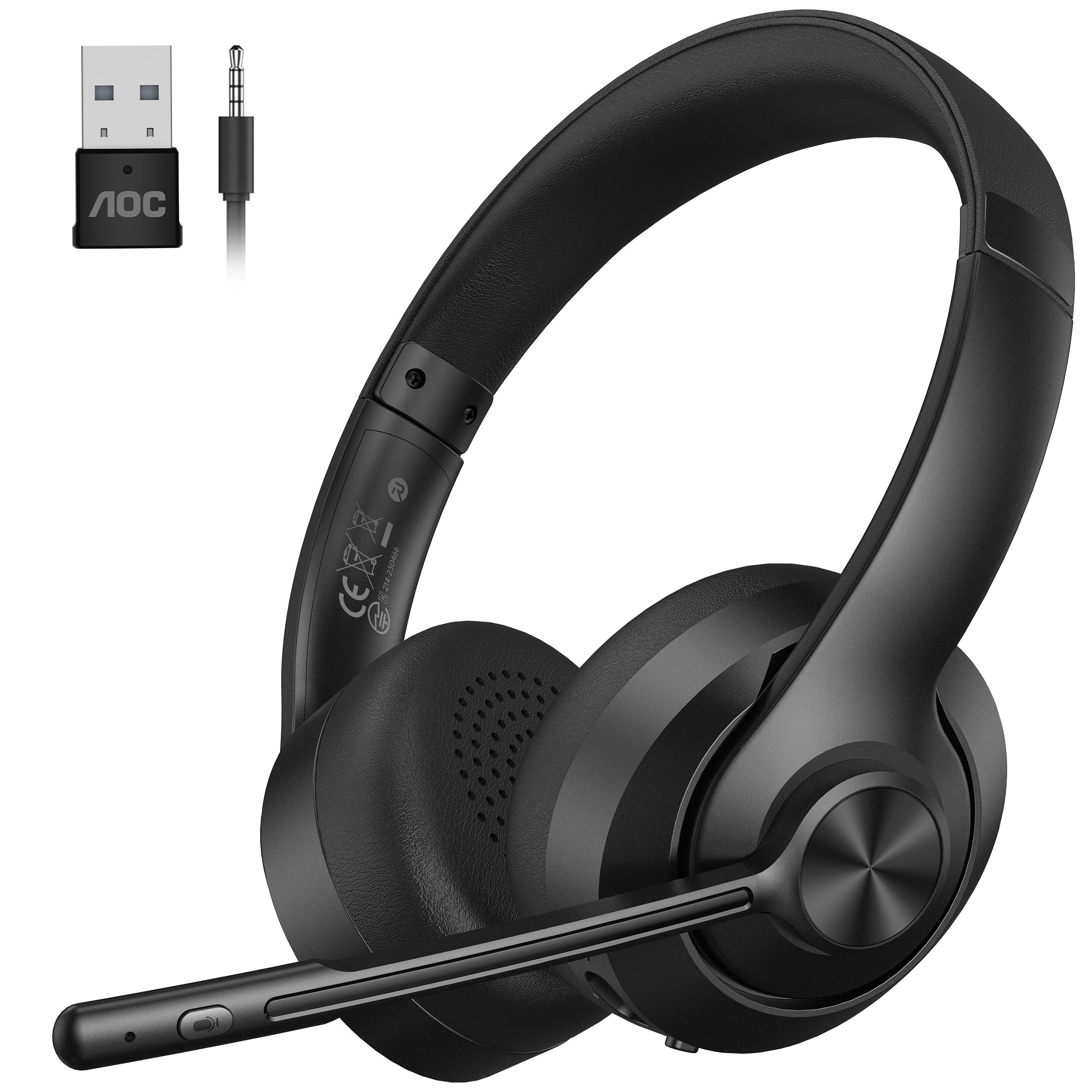
1. AOC Wireless Headset with Mic for Work, Bluetooth 5.4
Our pick — over 4.5★ from 450+ verified ratings; the strongest balance of quality and price.
The AOC is the crowd-pleasing all-rounder that nails the three things remote work demands: comfort, clear calls, and a battery that survives your whole shift.
This is the work-from-home headset that solves the classic “my battery is dying before my last meeting” panic. You get up to 30 hours of talk time on a single charge., and if you are cutting it close, the unique charge-while-using feature lets you plug in a cable and keep talking — zero interruptions on your busiest days. Bluetooth 5.4 here is a step ahead of the awatrue’s 5.3, offering a more stable link to your laptop or phone..
The flexible, voice-focused boom mic captures your voice clearly during calls.. It reduces moderate background noise like typing or AC hum, ideal for a home office.. A dedicated mute button sits right on the mic boom, so you can quickly cough or speak off-camera during Zoom without fumbling with software controls. Note that the mute is strictly for your voice during active calls — it will not pause your music or video.
Comfort for marathon 8-hour shifts comes from an adjustable headband and breathable memory-foam ear cushions. The 40-millimeter dynamic drivers deliver clear sound whether you are on a client call or listening to a virtual class. Buyers report the sound quality is excellent and the noise cancellation helps them focus — the review pages sum it up: “I’ve been using them for my work meetings and virtual classes, and they’ve been incredible so far.”
What Wins People Over
- 30-hour battery plus charge-while-using support means you are never stuck with a dead headset mid-presentation
- Triple connectivity (Bluetooth 5.4, USB-A dongle, and audio cable) works with PC, Mac, laptops, and phones
- Memory-foam ear cushions and adjustable headband hold up through long shifts
- Mic mute button right on the boom for instant meeting privacy
Worth Knowing
- The mute button only mutes your voice on calls — it won’t control music playback
- Audio plays from one source at a time, so you must pause one device before switching to another
Grab it for: a reliable, comfortable, wireless daily driver that covers every work call scenario while staying affordable.
Look elsewhere if: you want a single headset that freely juggles music on one device and calls on another simultaneously.
2. Poly Blackwire 3220 Wired Headset with Mic
The Poly Blackwire 3220 is the no-fuss wired workhorse that gives you a clean, reliable connection without ever worrying about a battery.
If you sit at a desk all day and want a headset that simply works every single time, skip the charging anxiety and go wired. This Poly headset connects to your PC via a USB-C cord or the included tethered USB-A adapter, giving you plug-and-play reliability across your desktop, laptop, mobile device, or tablet. No pairing, no dropouts, no dead-battery moments — just solid, consistent audio for your workday.
The noise-canceling boom mic and conforming ear cushions provide passive noise isolation, which means the background hum around you is physically blocked rather than electronically processed. Dynamic EQ automatically tunes the sound to deliver natural voice quality on calls and solid audio for music and video. The inline controls put call handling and volume adjustment right at your fingertips, and the controls work well according to owners.
The trade-off with budget-friendly wired headsets is durability over time. While many owners praise the lightweight build and comfortable feel, some report the sound quality can degrade noticeably after about a month of daily use — one honest buyer notes “the sound quality has degraded rapidly since purchasing.” It is a solid, simple tool for the money, but treat it as a dependable workhorse rather than a forever investment.
Why It Earns the Budget Spot
- Wired USB connection means zero latency and zero battery management
- Noise-canceling boom mic keeps your voice clear for callers
- Dynamic EQ gives natural voice quality for conversations and multimedia
- Lightweight, comfortable fit that owners say feels good during use
Keep in Mind
- Some owners mention sound quality fades after weeks of heavy use
- The wire can catch on chair arms, and the dual USB plug is stiff to remove from recessed ports
Reach for this if: you want the simplest, most reliable wired connection for daily desk calls and do not need wireless freedom.
Think twice if: you expect the audio to stay pristine for years — this is a value pick, not a premium long-hauler.
3. awatrue Wireless Headset with Mic for Work
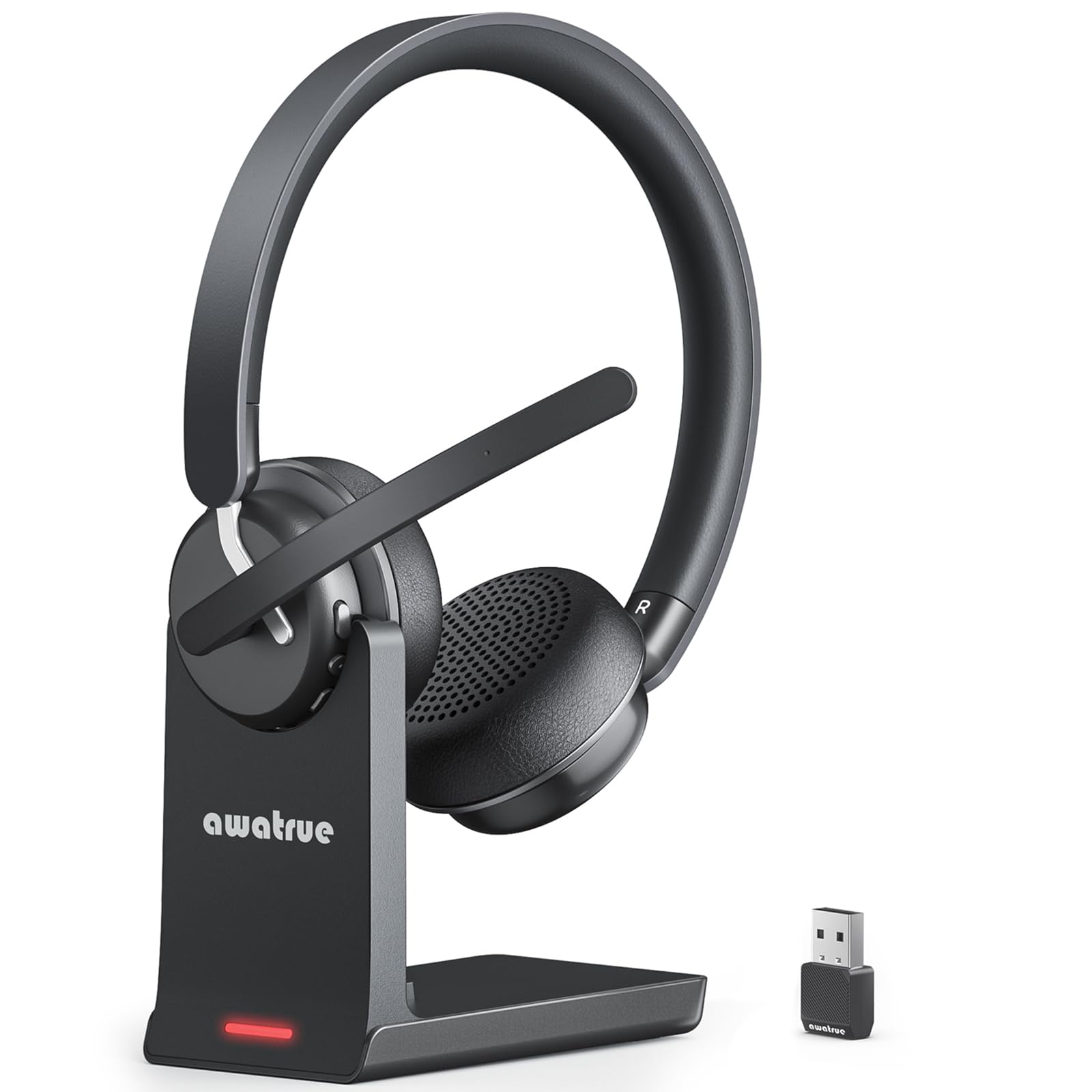
The awatrue is built for the call-center grind, with AI noise canceling that filters out background chatter so your voice stays front and center.
This headset is engineered for people who live on the phone, not just hop between a few meetings. Its AI noise-canceling filters out up to 99% of background noise like keyboard clicks and office chatter., which is why sound quality is the thing owners praise most here. An independent mute button gives you instant privacy with one tap, perfect for the fast-paced rhythm of call centers and open offices.
What sets this apart from the AOC above is dual-device connection. It can stay connected to your PC or laptop and your cellphone simultaneously, so you can switch between a Zoom meeting and a business call with one click — no reconnecting and disconnecting between every meeting. You pick between the plug-and-play 2.4G dongle or Bluetooth 5.3, and it works with Windows, Mac, smartphones, and most video conferencing apps like Zoom, Teams, Skype, and Webex.
You get up to 30 hours of talk time on a single 2.5-hour charge., and the included plug-and-play charging base lets you just set the headset down between meetings to top it up. The ultra-soft breathable ear cushions and adjustable padded headband are designed for 8+ hour video-call days. Owners describe the noise canceling as “AWESOME” and the sound as “clear & crisp,” though a small minority report connectivity can be hit-or-miss — so the dongle is your safer bet over Bluetooth.
Built for the Grind
- Filters out 99% of background noise for crisp calls
- Connects to PC and phone simultaneously for easy switching mid-day
- 30-hour battery with a convenient charging base between meetings
- Works with Zoom, Teams, Skype, Webex, and most video apps
The Catch
- Some owners find Bluetooth connectivity less reliable than the dongle
- A few report the build feels flimsy compared to pricier office headsets
Best for: call-center agents and remote workers who take back-to-back calls and need aggressive background-noise filtering.
Not for: anyone who wants premium build materials — this prioritizes function over feel.
4. Jabra Evolve 20 (2025 Edition) Wired USB Headset

The Jabra Evolve 20 keeps the whole work-from-home ritual simple: plug it in, dial in, and get comfortable for the long haul.
Sometimes the smartest tech is the tech you never have to think about. The Jabra Evolve 20 plugs directly into your laptop via USB-A or USB-C and is instantly ready — no software, no pairing, no dongle to lose. This easy setup is why overall quality is what owners praise most about this wired headset. It is certified for Avaya and Cisco platforms and works with all the leading online meeting apps, so it slots into almost any corporate setup.
Noise cancellation is the headline story here, and the customers-say summary confirms it wins people over for the same reason the AOC does — keeping background chaos out of your calls. Owners use it in homes with toddlers and barking dogs, and report the mic so effectively dampens background noise that callers cannot hear lawnmowers or a blender running. For interpreters and telehealth workers who need every syllable to land, this headset has proven its worth on the job.
The lightweight design with foam or leatherette ear cushions is made for all-day wear, and the 28-millimeter dynamic speakers pump out richer sound than the size suggests. The main honesty check: the noise cancellation impresses many, but a subset of owners finds it underwhelming, so treat it as a strong dampener rather than total silence. It is a quality, long-corded workhorse — one owner sums it up: “I’m in calls for 90% of my work day and with a 1yr old and 3yr old it’s cancels a lot of the background noise!”
What Impresses
- Plug-and-play USB-A or USB-C setup with no drivers required
- Noise-canceling mic excels at dampening household and office noise
- Lightweight with soft ear cushions for marathon meeting days
- Certified for Avaya and Cisco, works with all leading platforms
Honest Caveat
- Noise cancellation gets mixed feedback — strong for some, just average for others
- Wired only, so you stay tied to your desk setup
Choose it for: a zero-fuss, comfortable wired headset that handles noisy home environments impressively well.
skip it if: you demand complete silence on calls — this dampens a lot but does not fully erase loud surroundings.
5. AOC Wireless Headset with AI Noise-Canceling Mics
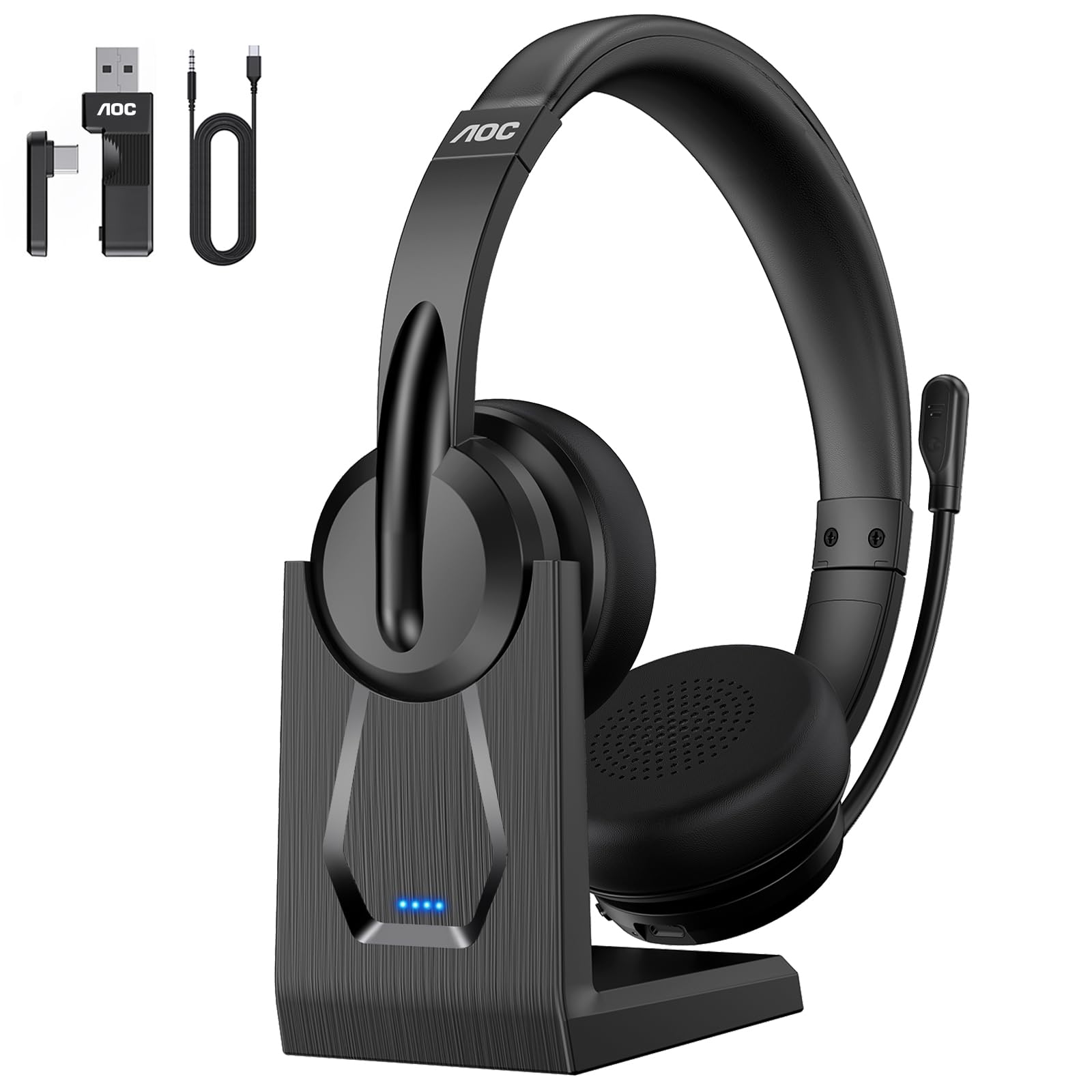
The premium AOC is the endurance king of this list, with up to 40 hours of talk time and a rotate-to-mute boom that keeps meetings clean.
For the professional who is always in meetings, the extra battery headroom here is the whole point. This headset offers up to 40 hours of talk time — 10 hours more than the AOC model above. — so you can stop counting hours and just work. When you do need a top-up, the convenient charging base lets you simply dock the headset, no cable hunting required, keeping your desk organized and the device always ready.
The AI noise-canceling microphone platforms your voice above background distractions, which is the feature customers note makes client calls sound professional. The flexible rotate-to-mute function on the boom gives you quick, tactile privacy control — just flip the mic up and you are muted, no fumbling for a button. On-ear cushions and an adjustable headband keep it comfortable through extended wear, and owners note the fit works well across different head sizes.
Flexibility is the real differentiator: it gives you three connection modes — Bluetooth 5.4, a stable USB A/C dongle, and a 3.5mm wired option — so you can switch between your laptop, PC, or phone without interruption. The main reliability caveat is that some reviewers point out the connection cuts out on Teams calls despite excellent internet, so the dongle may be your best bet for critical meetings. Beyond that, owners consistently report clean sound for professional conversations and a battery that keeps up with the longest workdays.
The Premium Advantages
- 40-hour talk time outlasts even the longest work weeks
- Three connection modes (Bluetooth, USB dongle, 3.5mm) for total flexibility
- Charging base keeps your desk clean and the headset ready
- Rotate-to-mute boom for instant, tactile privacy control
Worth Weighing
- A few shoppers say dropouts on Teams calls despite good internet
- The on-ear design sits on the ear rather than fully around it
Spring for it if: you want maximum battery endurance, a charging dock, and three connection paths in one headset.
Pass if: dropouts during critical client calls would be a dealbreaker — stick with a wired pick for bulletproof reliability.
6. Mopchnic Wireless Headset with Noise-Cancelling Microphone
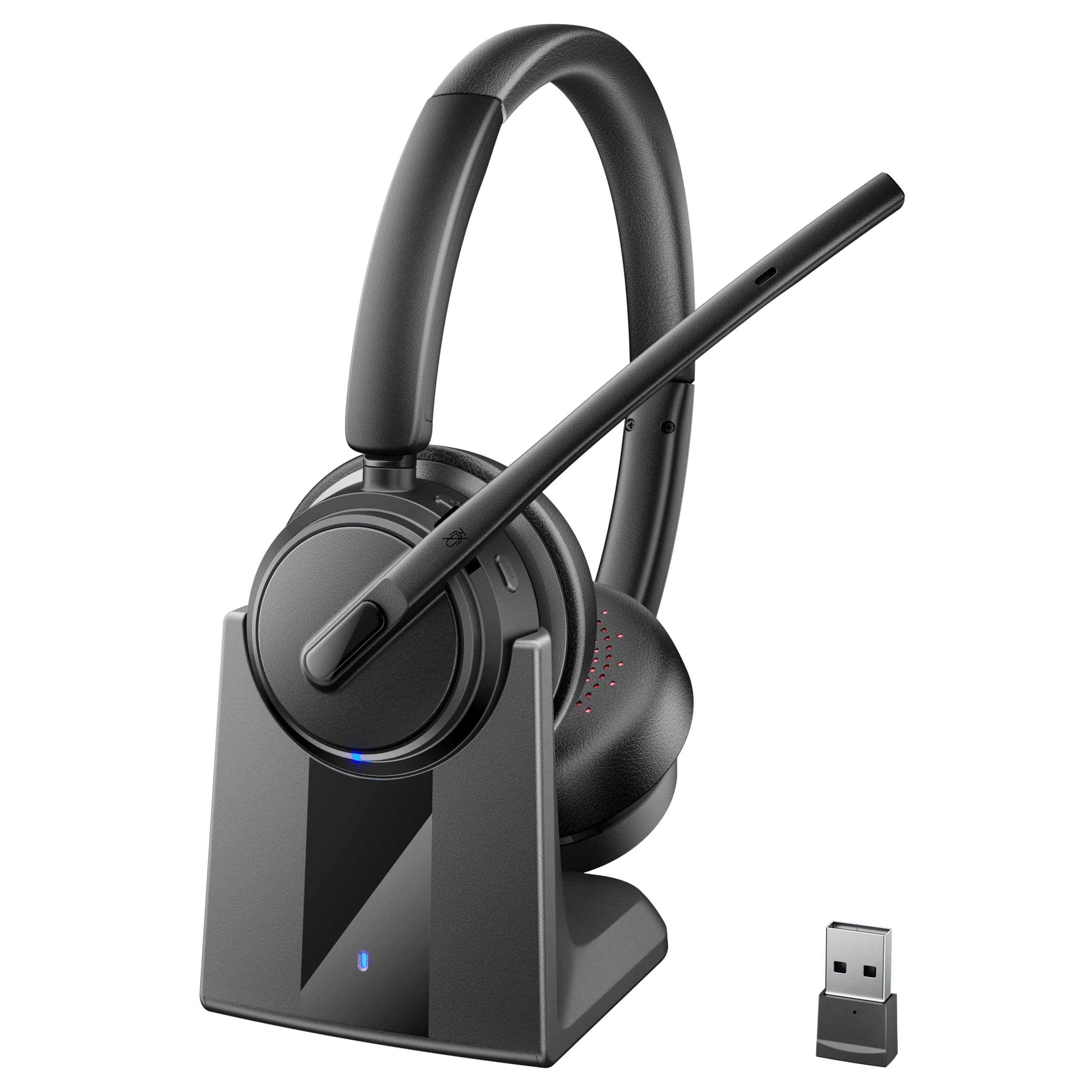
The Mopchnic obliterates battery anxiety with 50 hours of talk time, making it the clear choice for marathon call days and business trips.
If you have ever watched a meeting stretch into overtime while your headset battery drains, the Mopchnic is your answer. The 500mAh battery delivers up to 50 hours of talk time and 80 hours of music playback at 50% volume., which owners describe as “incredible” — the kind of endurance that makes weekly charging the only routine you need. The plug-and-play charging base keeps it topped up easily, with quick charging when you are in a rush.
This headset thinks about comfort in a way the others do not. The retractable headband adjusts to different head sizes, while the 270° reversible boom mic lets you wear it on either your left or right ear. The ergonomic design reduces head pressure, making it easy to wear through a full call-center shift. The independent mute button gives you quick privacy, and the one-key operation handles answering, rejecting, ending, and redialing calls with voice alerts for connection status and low battery.
Sound quality is the most-praised aspect here, with ENC noise canceling filtering out busy environments from open offices to airports. It pairs via Bluetooth 5.3 to two devices at once, or use the plug-and-play USB dongle for a stable desk connection — there is even a built-in storage slot on the headset so you never lose the dongle. Owners say it “performs like pricier options” and find excellent value for the money, with the main caveat being that music sounds slightly muffled compared to true audiophile cans — but for calls, it is excellent.
The Standout Strengths
- 50-hour talk time and 80-hour music playback crush battery anxiety
- 270° reversible boom mic works on either ear
- ENC noise canceling handles busy offices and travel hubs
- Built-in dongle storage slot keeps the adapter from getting lost
The Honest Trade-off
- Music playback sounds slightly muffled next to dedicated hi-fi headphones
- MFB button only supports answering mobile phone calls, not all functions
Pick it for: all-day wear, extreme battery life, and the flexibility of Bluetooth 5.3 plus a USB dongle.
Look past it if: you need audiophile-grade music sound — this is a work-first headset.
7. Poly Blackwire 5220 Wired Headset

The Poly Blackwire 5220 is the premium wired option, certified for Teams and Zoom with flawless multi-device flexibility.
When software compatibility matters more than anything, certification is the shortcut to confidence. This Poly headset is officially certified for both Microsoft Teams and Zoom, so you can trust it to click with your daily meeting platforms without hunting for workarounds. It has even fixed real-world software problems for owners who switched from other headsets — one replaced a Logitech unit and resolved dictation stutter and desktop app connection issues entirely.
Connectivity is genuinely multi-device. You can plug into your PC via the USB-C cord, use the tethered USB-A adapter, or connect to compatible mobile phones through the 3.5mm audio jack. The retractable cable is a thoughtful touch that keeps your desk tidy, and owners specifically praise the long cord length for flexibility in positioning. The noise-canceling boom mic and conforming ear cushions provide passive isolation, though the noise cancellation itself draws mixed feedback — it is solid but not miraculous.
Comfort and sound quality are the two things owners praise most here. The ergonomic over-ear design with Dynamic EQ tune voice and multimedia sound based on how you are using it, which is why owners describe the audio quality as “excellent” and the fit as soft on the ears. The one honest warning: a minority of owners find the clamping force causes headaches and deep ear marks within about 20 minutes, making it unusable for 6+ hour call days — so if you have a sensitive head, you may want a gentler fit.
Why It Commands the Premium Price
- Officially certified for Microsoft Teams and Zoom
- Triple connectivity with USB-C, USB-A, and 3.5mm jack
- Retractable cable and long cord for a tidy desk setup
- Dynamic EQ tunes sound for voice calls or multimedia
The Fit Factor
- Some owners find the fit too tight, causing headaches within minutes
- Noise cancellation is solid but gets mixed feedback from owners
Invest in it if: Teams and Zoom compatibility are non-negotiable and you value a wired connection that never drops.
Look elsewhere if: you need a super-gentle fit for 6+ hour days — the clamping force bothers some heads.
Understanding the Specs
Noise-Canceling Microphone
This is the feature that determines whether your callers hear you or your keyboard. A boom mic that points toward your mouth naturally picks up your voice better than a remote mic, and the noise-canceling element filters out the ambient hum around you — things like typing, AC noise, or a neighbor’s lawnmower. The terms “AI” or “ENC” (environmental noise cancellation) refer to the digital processing that isolates your voice from background sound, which matters most if you work near household chaos.
USB Dongle vs Bluetooth
A USB dongle creates its own dedicated wireless link between your headset and laptop, which is why it is the gold standard for work — fewer dropouts and lower latency than standard Bluetooth. Bluetooth (versions 5.3 or 5.4) is convenient because it also connects to your phone, but it can occasionally stutter on busy video calls. Many of the headsets here offer both so you can pick the right connection for the moment.
Battery Life & Charging Bases
Battery life is measured in hours of talk time, and anything at or above 30 hours will get you through a full work week on one charge. A charging base changes the daily ritual — instead of fumbling with a cable, you just set the headset down on the dock between meetings. If you tend to forget charging, look for a model that lets you plug in a cable and keep using it while it charges.
Platform Compatibility
Most headsets here claim to work with Zoom, Teams, Skype, and Webex because they are standard USB audio devices. But “certified” is a stronger promise — it means the manufacturer has tested the headset specifically against that platform to ensure call control buttons and mute functions work natively. If your company runs strict Teams-only or Zoom-only policies, a certified model removes the guesswork.
FAQ
Will a work from home headset work with both my laptop and my phone?
Should I get a wired or wireless headset for work from home?
How long does a wireless headset battery last for work calls?
What does noise-canceling mean on a headset microphone?
Is a USB-A or USB-C connection better for a work headset?
Can I use these headsets for Teams, Zoom, and other platforms?
How do I know which headset will be comfortable for all-day wear?
What is the difference between on-ear and over-ear headsets?
Can I mute myself quickly without fumbling with software?
Do these headsets play music well, or are they call-only tools?
Final Thoughts: The Verdict
For the majority of shoppers, the best overall pick is the AOC Bluetooth 5.4 Headset because it bundles a 30-hour battery, charge-while-using support, and three connection options into one comfortable package that handles any work call. If you want the absolute most reliable connection with zero battery management, the Jabra Evolve 20 is the plug-and-play wired winner. And if your days are endless back-to-back calls, the Mopchnic with its 50-hour battery and charging base is the endurance pick worth reaching for.
How We Picked
We do not accept paid placement. Every pick is matched to a real buyer and a real use-case; we do not hands-on test units.
Sources & Methodology
Specifications: manufacturer listings and product documentation. Review insights: verified customer reviews, as of August 2026. Pricing: not shown on this page (it changes often); check the current price via the retailer link.
As an Amazon Associate, Calories Fit earns from qualifying purchases. This does not affect which products we feature.