
Our readers keep the lights on and the coffee maker working hard! As an Amazon Associate, I earn from qualifying purchases.
Specs are compiled from manufacturer listings and verified buyer reviews and can change over time — please confirm the key details on the product page before buying.
A dull ache after typing is a warning sign, not a normal part of the job. A wireless ergonomic split keyboard lets each hand rest at a natural angle, reducing shoulder and forearm strain. The challenge is finding a split keyboard that fits your body, devices, and budget without the gimmicks.
I’m Mohammad — the founder and writer behind Calories Fit. This guide is built by comparing the manufacturers’ published specifications and the patterns across verified customer reviews, so you get each pick’s real strengths and trade-offs instead of marketing spin.
Whether you’re recovering from carpal tunnel or just want to stop bracing for pain after lunch, this breakdown of the best wireless ergonomic split keyboard options will help you find the one that fits your workflow and your wrists.
Our Picks at a Glance

How To Choose The Best Wireless Ergonomic Split Keyboard
Your choice depends on a few key factors that affect all-day typing comfort.
Split vs. One-Piece: Real Difference
One-piece ergonomic boards have a curve but still lock your hands together. A true split design lets you set each half shoulder-width apart, which can open your chest and take pressure off your wrists. It means that if you have broad shoulders or a narrow desk, you get to find your own comfortable position rather than adapting to the keyboard’s shape.
Full Size, 75%, or 65% Layout
A full-size board includes a number pad. That is great for data entry but takes up more desk space. A 75% layout drops the number pad but keeps the function row and arrow keys. A 65% layout cuts the function row and shrinks everything. Your muscle memory on a standard keyboard will need a few days to adjust, especially with a 65% layout that shifts the tilde key. The trade-off is desk space versus immediate comfort.
Connectivity and Battery
Most modern split keyboards offer Bluetooth 5.0, 2.4GHz via a dongle, and wired USB-C. Bluetooth is fine for office work, but if you game or need the lowest possible latency, 2.4GHz is the way to go. Battery capacity varies widely—a 500mAh battery may last a couple of weeks, while a 3000mAh battery can run for months on a single charge, depending on backlight use. A low-battery indicator is essential to prevent a keyboard from dying mid-sentence and undoing your work.
Quick Comparison
| Model | Best For | Layout Size | Connection | Battery | Amazon |
|---|---|---|---|---|---|
| ProtoArc EKM01 Plus★ Best Overall | All-in-one comfort | Full (104-key) | Bluetooth + 2.4G | 500mAh (both) | Amazon |
| Macally Ergo for MacMac Dedicated | Mac ecosystem | 86-key compact | Bluetooth + USB-C + USB-A | 500mAh | Amazon |
| ProtoArc w/ Separate Num PadFlexible Layout | Flexible workspace | Full (detachable) | Bluetooth + 2.4G | Rechargeable | Amazon |
| Nulea RT05 | Backlit budget pick | Full (104-key) | Bluetooth + 2.4G | 2000mAh | Amazon |
| MEETION Combo Pink | Value + vertical mouse | Full (19-inch) | 2.4G (shared receiver) | Rechargeable | Amazon |
| ZORNHER ST68 | Mechanical + gaming | 65% (68-key) | Bluetooth 5.0 + 2.4G + USB-C | 3000mAh | Amazon |
| EPOMAKER Split65 | Deep customization | 65% (81-key) | Bluetooth 5.0 + 2.4G + USB-C | Rechargeable | Amazon |
| RK ROYAL KLUDGE RKS70 | Macro-heavy work | 75% (74-key) | Bluetooth + 2.4G + USB-C | 3150mAh | Amazon |
| Razer Pro Type Ergo | Productivity + macros | Full (104-key) | Bluetooth + 2.4G + USB-C | Rechargeable | Amazon |
In‑Depth Reviews
1. ProtoArc EKM01 Plus Wireless Ergonomic Keyboard Mouse Combo
Our pick — over 4★ from 850+ verified ratings; the strongest balance of quality and price.
The full package that solved more than just wrist strain for thousands of owners.
This is the pick that nearly 900 owners have made the crowd favorite, and the reason is simple: it works the way a split ergonomic board should, right from the start. The curved split keyframe puts your wrists and forearms in a natural, relaxed line — no more rotating your shoulders inward to reach a flat row of keys. The scooped keycaps cup your fingertips for quick, quiet response, and the cushioned memory-foam wrist rest means your palms do not bottom out on a hard edge. The mouse shares the same ergonomic philosophy with a sculpted palm and thumb rest plus adjustable 2000 DPI for precise control.
Connectivity covers every common scenario: you can pair up to three devices via Bluetooth or the included 2.4GHz USB receiver and switch with one button. Both the keyboard and mouse pack a 500mAh rechargeable battery, and an auto-sleep mode kicks in after 30 minutes to save juice. The only catch is the footprint — at 20.75 inches wide it demands the kind of desk you’d expect from a full-size setup, and a few owners note the right space bar can develop a squeak over time. But the thing everyone raves about is how dramatically it reduced day-to-day hand and wrist discomfort for people dealing with carpal tunnel or repetitive strain.
If you want a complete ergonomic workstation upgrade and have the desk room, this is the one to reach for. The trade-off is that if you are cramped for space, the width will be a problem — measure your desk before ordering.
What Owners Love
- Quiet, responsive scissor-switch keys — silent enough for open offices
- Long battery life — some charge only twice in months of daily use
- Included wrist rest and ergonomic mouse reduce setup guesswork
What to Consider
- Full width (20.75 inches) requires substantial desk space
- No dedicated copy/cut/paste keys at hand’s reach
- Mouse forward/back buttons are easy to trigger accidentally
Best For: Anyone with carpal tunnel or wrist pain who wants a complete ergonomic set in one box, with enough desk room for a full-size layout.
Not For: Owners of small desks who need a compact footprint or those who prefer a mechanical key feel over membrane.
2. Macally Ergonomic Keyboard for Mac Wireless
A rare true split design built specifically for macOS, not just labeled compatible.
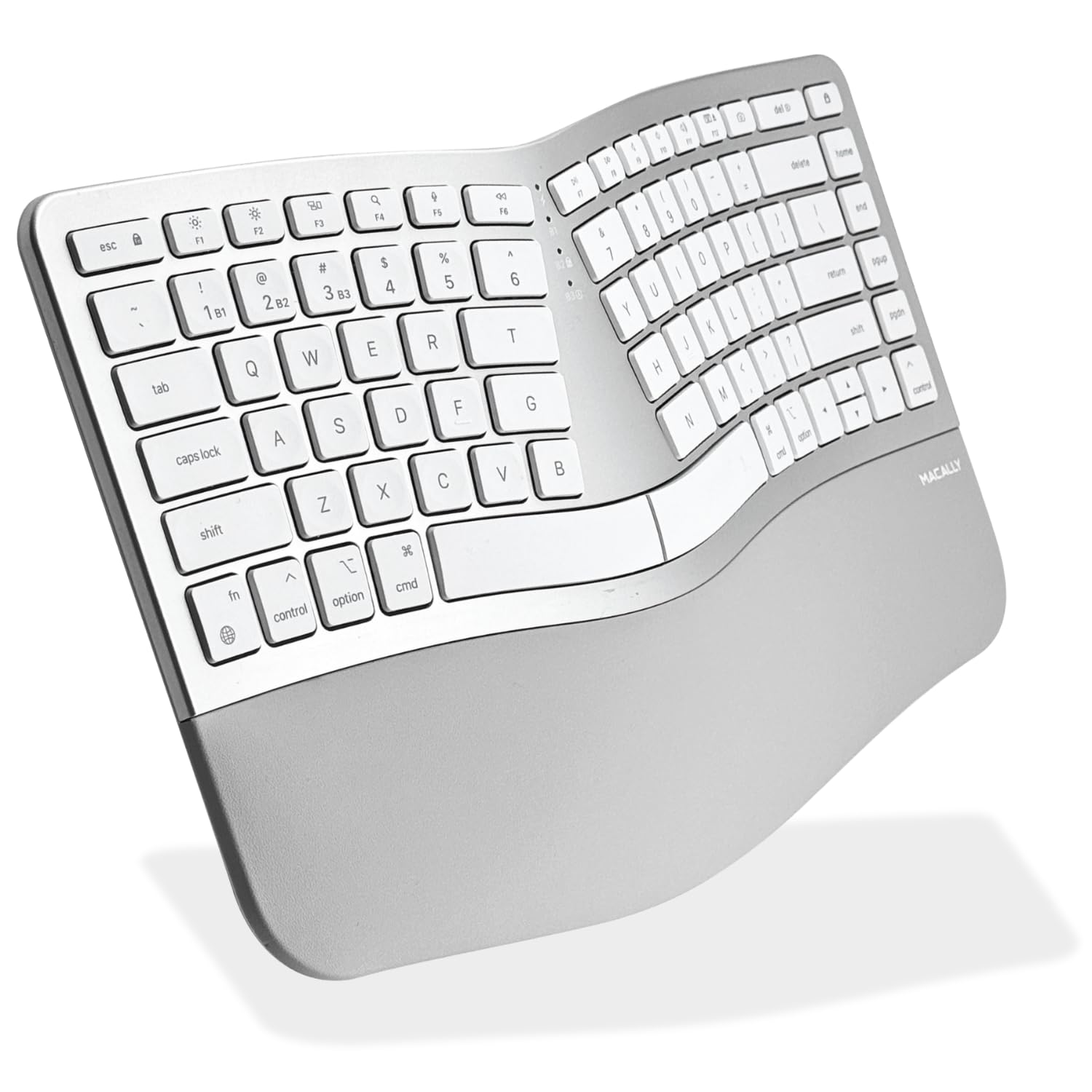
If you live in the Apple ecosystem, the Macally is the only wireless split keyboard in this roundup that is engineered for macOS, iPadOS, and iOS right down to the 15 dedicated shortcut keys — Mission Control, Spotlight, media controls. The true two-zone split and compact 86-key layout mean you get the ergonomic benefits of natural hand positioning without the full-size footprint of some competitors. It connects via Bluetooth, USB-C, or USB-A, and the wired mode ensures you can log into a Mac that’s in recovery mode, which is a genuine pain point for many users.
The scissor-switch keys deliver a familiar, quiet typing feel that echoes Apple’s own keyboards, and a 500mAh battery charges fully in about two hours then lasts between one and two months. That said, the split design comes with compromises: the arrow keys sit in an awkward position that takes deliberate retraining, and some buyers report inconsistent key sensitivity that occasionally produces double letters or skipped strokes. A few also note that the USB wake bug means you sometimes need to tap a key twice after the machine sleeps.
This is the board to reach for if you are all-Apple and want a split design that interacts with the OS at a deep level. The honest caveat is that the build quality and key consistency do not match what you get from pricier mechanical split keyboards, especially if you type heavily.
Best For: Mac, iPad, and iPhone users who want native shortcuts and a compact split layout that reduces wrist pain.
Look Elsewhere If: You need a number pad, or your typing depends on perfect, uniform key actuation every single time.
3. ProtoArc Wireless Ergonomic Keyboard with Separate Number Pad
The entry-level mechanical board that lets you program every keystroke and swap switches without a soldering iron.
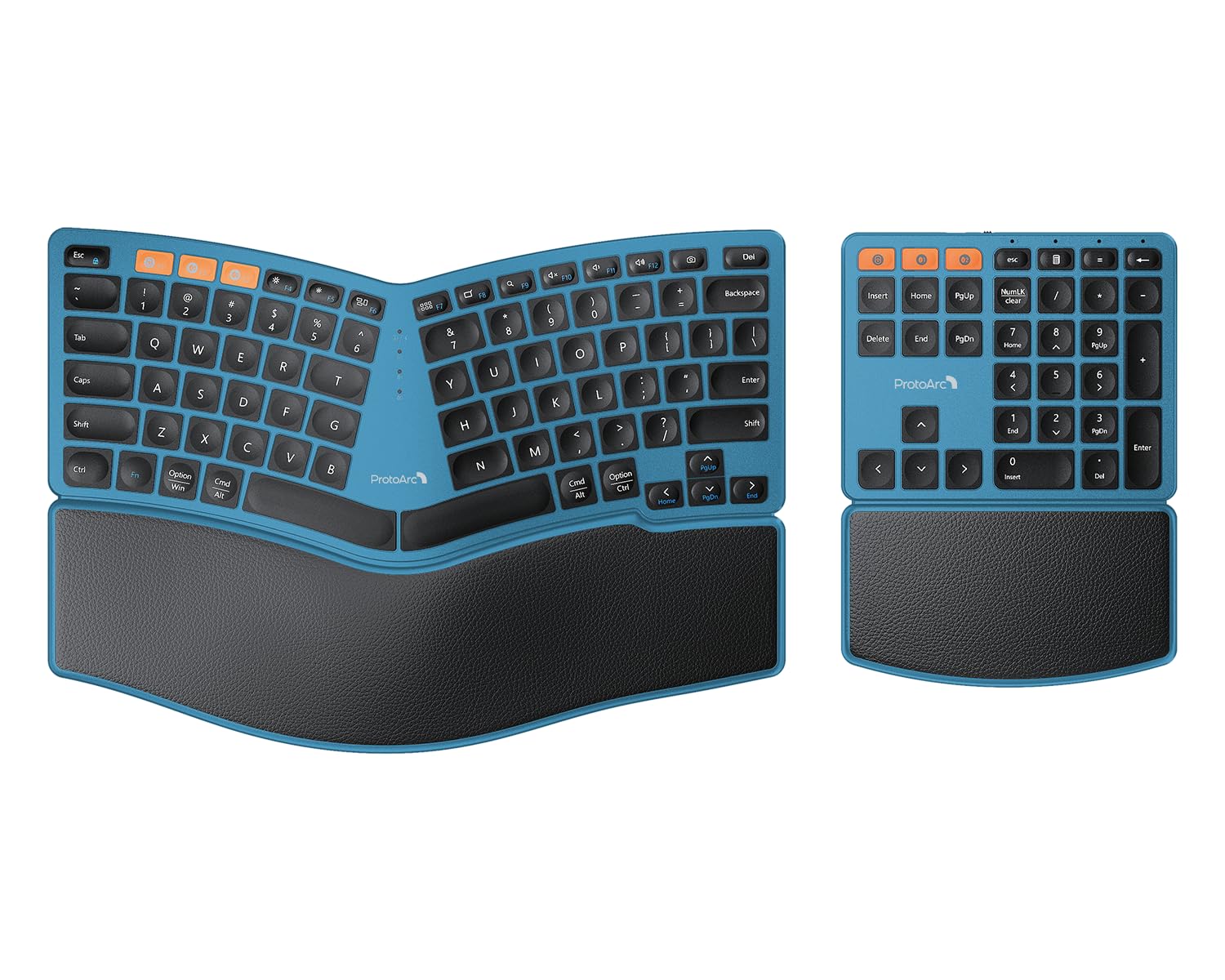
The ProtoArc stands out because its number pad is fully independent — you can position it on either side or stash it in a drawer when you are just typing emails. The curved split keyframe and low-profile keys keep your wrists in a relaxed posture, while the hard palm rest with a leather surface provides durable support that will not sag after months of use. The pad doubles as a four-key macro pad (configured via function layer) and connects wirelessly via 2.4G on the same dongle as the main board.
Four adjustable tilt legs let you dial in the angle whether you are sitting or standing. The board and numpad each have a rechargeable battery with 250 hours of standby time after a two-hour charge. Owners praise the excellent battery life — some report months on a single charge — and the great design of the hard palm rest. However, the two halves can create a real snag: you cannot press a key combination that spans across both the keyboard and the number pad, because they do not work in unison. A few owners have encountered frustrating duplication issues from the number pad, where a single press of the “5” key types it three times.
If you need a number pad for spreadsheets but want the freedom to detach it during pure typing sessions, this is your setup. It beats full-size boards on desk flexibility. The weak link is the number pad’s reliability, which can be inconsistent across units.
Flexibility First: Separate numpad gives you a modular workspace that no other sub- split board offers.
The Catch: The number pad does not coordinate with the main keyboard for cross-modifier combinations, and the hard rest is not for everyone.
4. Nulea RT05 Wireless Ergonomic Keyboard

A comfortable split board with adjustable backlighting and a battery that lasts weeks between charges.
The Nulea RT05 takes a strong shot at the Logitech Ergo K860 experience at a significantly lower cost. Its split, splayed, and curved design positions your body with relaxed shoulders, aiming to reduce the risk of fatigue and injury from prolonged typing. The standout feature here is the 7-color backlight with 3 brightness levels, which lets you match your desk aesthetic or work in dim light (blue, green, red, cyan, purple, yellow, and white). When the battery drops below 10%, the backlight shuts off to preserve function so you can keep typing rather than hunt for a charger.
A 2000mAh battery is substantial for this price tier — with the backlight off, you can go weeks of 8-plus-hour days before needing a recharge. The leather wrist rest and soft tactile keys earn high marks from owners, many of whom note that the backlight color options are a fun bonus. On the durability side, a small share of owners have reported that keys began popping off after roughly a year of use, and the battery on a few units stopped charging after four months, leaving the keyboard usable only while plugged in.
If a backlit split keyboard under sounds right, this is the top contender. The trade-off, as some owners found, is that the build longevity is not as sturdy as pricier mechanical alternatives, so consider it a strong first-run board rather than a ten-year investment.
Ideal For: First-time split keyboard buyers who want RGB backlighting and a low-risk price point to see if the ergonomics work for them.
Beware: Battery and keycap durability is a gamble — treat it gently, and keep the charging cable handy.
5. MEETION Ergonomic Keyboard and Mouse Combo, Pink
A value-focused ergo duo that swaps the standard mouse for a vertical design aimed at relieving wrist twist.
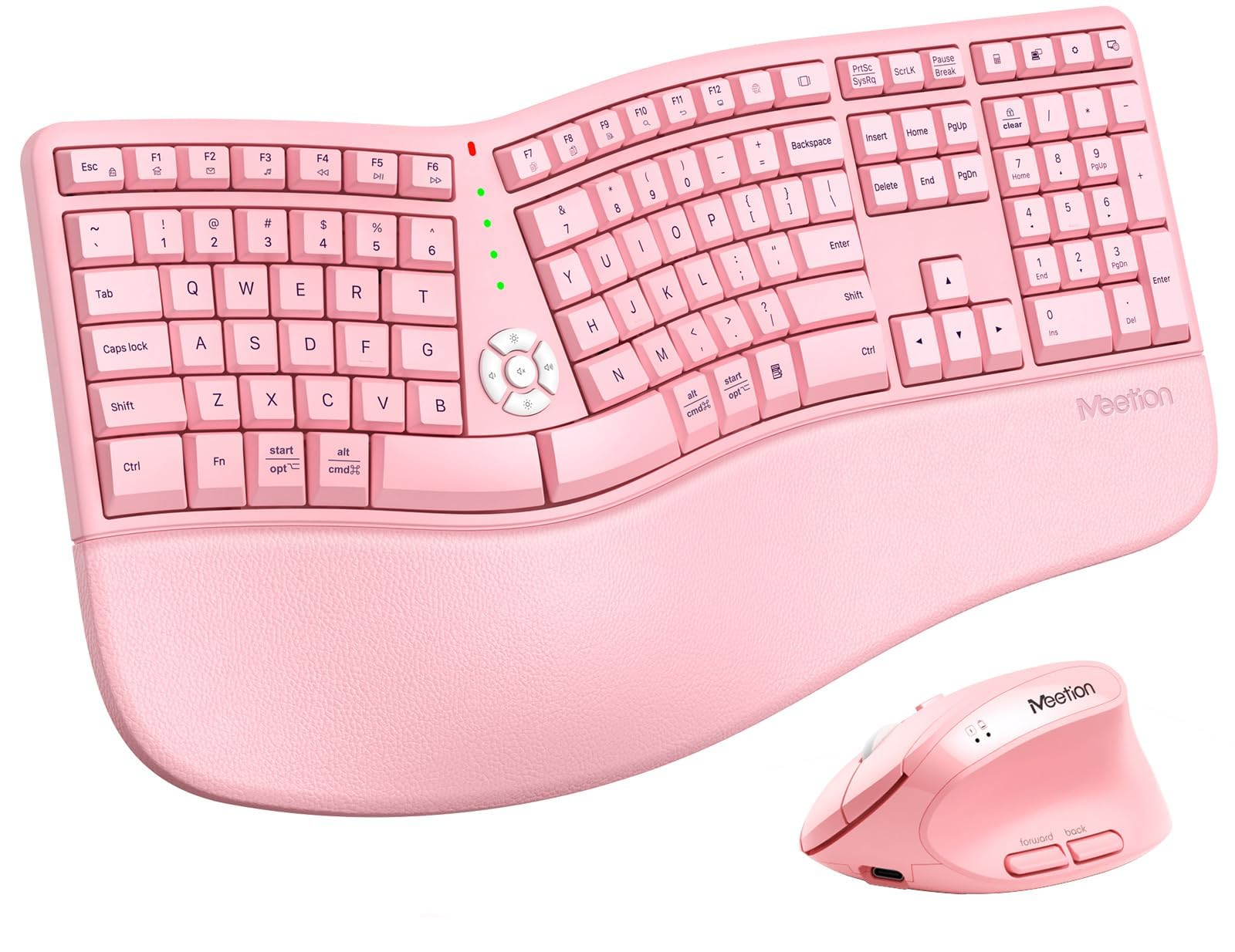
The MEETION combo is built around a simple idea: a true split keyboard plus a vertical mouse in one box, so you are not mixing brands or paying extra for a separate ergonomic mouse. The keyboard splits into two halves so each hand sits at its own comfortable angle, and the full concave curve follows the natural shape of your fingers. The firm PU wrist rest — 18.8 inches wide — provides stable support with a non-slip surface that prevents sagging or shifting while you type. The vertical mouse offers four DPI settings (800/1200/1600/2400) a silent switch, and a side-scrolling wheel, all sharing a single USB-A receiver with the keyboard.
Owners who deal with hand pain have an overwhelmingly positive reaction: several describe the pain as simply gone after switching. The keys are smooth to the touch and the purple color option adds a playful aesthetic. The primary hiccup reported is the initial setup — the mouse may arrive with a dead battery requiring a charge before first use, and the split layout demands a short adjustment period, especially if you have spent decades on a standard keyboard where ASDF/JKL; are fixed positions. A very small number of owners mention that random keys stopped working after about five days, though this is not the prevailing pattern.
If you want the quickest path to a working ergonomic desktop with a vertical mouse and do not want to shop separately, this combo delivers for the price. The limitation is that the keyboard and mouse share a single receiver, so if one fails, you lose both.
Ergo Starter Kit: The one-box solution that pairs a split keyboard with a vertical mouse — no separate research needed.
The Ask: Accept a learning curve for the split layout and check the mouse’s charge immediately after opening the box.
6. ZORNHER ST68 Ergonomic Split Keyboard, 65% Wireless Gaming
A compact 65% mechanical split board with creamy linear switches and a massive battery for marathon sessions.
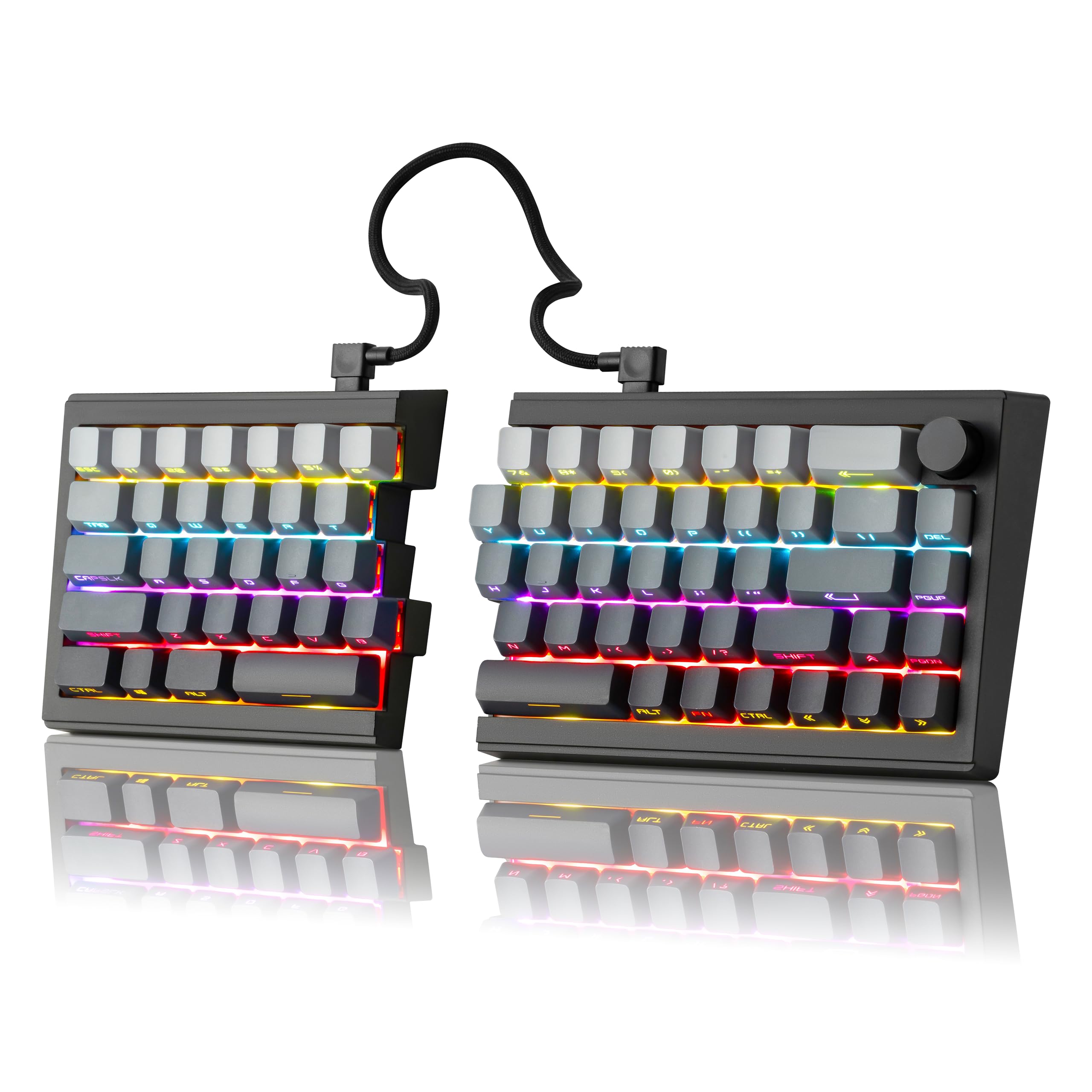
The ZORNHER ST68 brings the satisfying thocky sound of factory-lubed creamy linear switches to a split form factor that was hard to find at this price. The 65% layout (68 keys) drops the number pad and function row, saving significant desk space while still including arrow keys and a volume knob. The board splits into two halves you can angle independently, or you can join them with the included coiled cable to use as a single-piece board. The dipped PBT keycaps use side-printed legends that resist shine and stay legible even after months of heavy use, and the south-facing RGB offers 22 preset lighting modes including edge glow.
A massive 3000mAh battery puts this ahead of most competitors — you can go weeks between charges even with RGB turned on. The hot-swappable PCB accepts both 3-pin and 5-pin switches, and a 2-year warranty gives extra confidence. Owners recovering from rotator cuff surgery have reported it to be “amazing” for shoulder recovery. The two notable downsides are the missing F-key row, which can break muscle memory for productivity work, and the fact that without wrist rests it is uncomfortable for long sessions. An occasional unit arrives with a sticky right space bar defect that is not fixable by the user.
This board is for the owner who wants a compact, mechanical typing experience with great battery life and is willing to sacrifice the F-row to get it. It beats the ProtoArc combo on typing feel and battery size, but loses on out-of-box comfort because wrist rests are not included.
Compact Thock: The creamy linear switches and gasket-mounted structure deliver a deep sound profile that rivals keyboards costing over more.
Know This: No wrist rests and no F-row — plan on buying rests separately and retraining a few key presses.
7. EPOMAKER Split65 QMK/VIA Programmable Keyboard

The deep-dive programmer’s split board with QMK/VIA support and four layers of sound dampening for a pure typing experience.
The EPOMAKER Split65 is the pick for anyone who wants to define exactly what every key does, down to custom macros and function layers, without touching a single line of code. The QMK/VIA firmware support means you can remap keys and set macros in real-time via a visual interface — no soldering, no guesswork. The split 65% layout lets you position each half freely, and the included rotary knob gives you physical control over volume, brightness, or multimedia with a spin. Four layers of sound dampening (Poron Sandwich Foam, IXPE Switch Pad, PET Pad, Poron Socket Pad) eliminate hollow noise for a creamy, quiet typing sound.
The board connects to up to five devices via Bluetooth 5.0, 2.4GHz, or USB-C, and the south-facing RGB backlight offers 16.8 million colors with dozens of preset effects. Owners describe it as the best keyboard they have used, with one noting that the split design relieved chest muscle fatigue from a wide upper body posture that standard boards could not accommodate. The catch is the 65% compact layout — no function row, no dedicated arrow cluster, and the tilde key moves to a shifted position. If you rely heavily on those keys, retraining will take about a month. The Linux AppImage software is also old and barely functional if you need customization outside of Windows.
If you love tinkering with keymaps and want a board that grows with your workflow, this is the best programmable split in this roundup. It beats the ZORNHER on customization depth but has a steeper learning curve due to the compact layout.
Endless Remapping: QMK/VIA support means you can turn any key into any function, macro, or shortcut — your workflow, your layout.
Expect an Adjustment: The 65% layout forces you to retrain muscle memory for F-keys, tilde, and arrows; plan for about a month of slower typing.
8. RK ROYAL KLUDGE RKS70 Ergonomic Split Keyboard

The workhorse split with five dedicated macro keys and a 3150mAh battery built into the left half.
The RK ROYAL KLUDGE RKS70 is built for the power user who needs quick keystroke shortcuts without reaching into software menus. It offers five programmable macro keys on the left side, plus preprogrammed hotkeys for common tasks like delete, cut, paste, and save. The split keyboard has eight adjustable feet so you can tent or tilt each half to your ideal angle, and the fixed wrist rest supports your palms during long sessions. The 75% compact layout preserves the function row and arrow keys while saving desk space compared to a full-size board.
A 3150mAh battery — the largest in this roundup — keeps you running for up to two weeks even without the backlight on. The hot-swappable PCB accepts 3-pin and 5-pin switches, and the pre-lubed creamy linear switches deliver smooth keystrokes that are satisfying without being too loud in an open office. Owners praise the sturdy build and the value for money, noting that it replaces higher-priced split boards with broken clips. The biggest recurring complaint: the keyboard auto-shuts off in wired USB mode, meaning it only wakes with the left half and you lose the first keystroke. This is a firmware issue rather than a hardware flaw, but it matters if you prefer a wired connection.
If you rely on macros for repetitive tasks in coding, design, or data entry, the five M-keys give this board a real edge over nearly every other pick here. It loses a step to the EPOMAKER on customization depth but gains on sheer battery capacity and out-of-box macro utility.
Macro-First Design: Five dedicated, programmable macro keys on the left side let you bind complex sequences to a single press — a genuine productivity boost for power users.
The Glitch: The wired USB auto-shutoff bug means this board is best used wirelessly; if you need a constant wired connection, look elsewhere.
Understanding the Specs
Layout Size
The number of keys on a board determines how much desk space it takes and whether you keep the function row, navigation cluster, and number pad. Full-size (104-key) boards include everything but are wide. 75% (around 84 keys) drops the numpad while keeping F-keys. 65% (68 keys) removes the F-row and nav cluster for a minimal footprint — great for travel but requires more use of function layers. Your muscle memory on a standard keyboard will need a few days to adjust when switching to a smaller layout.
Battery Capacity (mAh)
Measured in milliamp-hours, this tells you how long the keyboard runs between charges. A 500mAh battery typically lasts one to two weeks with normal use. Boards with 2000mAh to 3150mAh can run for weeks or even months, especially if you turn off the backlight. A low-battery indicator is helpful because when power gets very low, some keyboards start repeating or dropping keys, which can undo work.
Hot-Swappable Switches
This feature lets you pull out the mechanical switches with a small tool and insert different ones without soldering. If you prefer a heavier tactile feel for typing or a lighter linear feel for gaming, you can swap without buying a new board. Not all split keyboards support this — check the product specs before you buy if you plan to customize the key feel.
Split Layout vs. One-Piece Ergo
A true split keyboard has two separate halves that you can angle and distance independently. That allows your hands to rest shoulder-width apart, which can open your chest and take strain off your wrists. A one-piece ergonomic board has a curved shape but still locks both hands together. For people with wider shoulders or wrist pain, the independent halves of a true split offer more relief than a one-piece curve.
FAQ
Will a split keyboard work with my computer immediately or do I need drivers?
How long does the battery last on a wireless ergonomic split keyboard?
What is the difference between mechanical and membrane switches in a split keyboard?
Can I use a split keyboard for gaming or is it only for typing?
How long does it take to get used to typing on a split keyboard?
Can I remap the keys on a wireless ergonomic split keyboard?
What is the benefit of a separate number pad on a split keyboard?
Are wireless ergonomic split keyboards compatible with Mac and Windows at the same time?
Final Thoughts: The Verdict
For most people, the top wireless ergonomic split keyboard is the ProtoArc EKM01 Plus because it combines a cushioned wrist rest, a sculpted ergonomic mouse, and quiet scissor-switch keys into one complete package that actually reduces wrist pain. If you want fully programmable macros with a mechanical feel and a massive battery, grab the RK ROYAL KLUDGE RKS70. And for the deep-dive customizer who remaps every key and loves a creamy typing sound, the EPOMAKER Split65 delivers the best QMK/VIA experience in this roundup at a price that undercuts most competitors.
How We Picked
We do not accept paid placement. Every pick is matched to a real buyer and a real use-case; we do not hands-on test units.
Sources & Methodology
Specifications: manufacturer listings and product documentation. Review insights: verified customer reviews, as of July 2026. Pricing: not shown on this page (it changes often); check the current price via the retailer link.
As an Amazon Associate, Calories Fit earns from qualifying purchases. This does not affect which products we feature.