
Our readers keep the lights on and the coffee maker working hard! As an Amazon Associate, I earn from qualifying purchases.
Specs are compiled from manufacturer listings and verified buyer reviews and can change over time — please confirm the key details on the product page before buying.
The real question when you start building a Z-Wave system isn’t which light bulb or lock to buy—it’s which controller you trust to run the whole show. A Z-Wave controller is the hub that routes commands to your smart switches, sensors, and thermostats, and the right one ensures instant responses and reliable routines. The top pick here pairs the latest 800-series radio with long-range reach and a plug-and-play setup.
I’m Mohammad — the founder and writer behind Calories Fit. This guide is built by comparing the manufacturers’ published specifications and the patterns across verified customer reviews, so you get each pick’s real strengths and trade-offs instead of marketing spin.
Whether you run Home Assistant or prefer a ready-made hub, these are the seven most dependable Z-Wave controllers available now.
Our Picks at a Glance

How To Choose The Best Z-Wave Controller
Before you buy, decide how much setup you can tolerate. A USB stick that plugs into a Raspberry Pi is cheap and powerful, but it only works if you enjoy tinkering. A ready-made hub like a Homey or Hubitat does the thinking for you, at a higher cost. Your choice depends on how much control you want versus how much setup you can tolerate.
Radio Generation: The 700 vs 800 Series
The radio chip generation—700 vs 800 series—is the biggest factor in your network’s range and speed. The Z-Wave 700 series is a proven standard, but the newer 800 series radios add Z-Wave Long Range—a mode that can reach devices far beyond the normal mesh. If you have a detached garage or a big lot, that long-range reach is worth seeking out.
USB Stick or Dedicated Hub
A USB stick controller turns a computer or a Raspberry Pi into your smart home brain, which is the route most Home Assistant fans take. A dedicated hub like the Hubitat or Homey Pro is a self-contained box that runs its own software, so it doesn’t depend on a PC staying on. Sticks suit tinkerers; hubs suit those who want a plug-and-play appliance.
Quick Comparison
| Model | Best For | Radio Chip | Protocols | Form Factor | Amazon |
|---|---|---|---|---|---|
| Aeotec Z-Stick 7★ Best Overall | Home Assistant USB setups | Z-Wave 700 | Z-Wave Plus | USB Stick | Amazon |
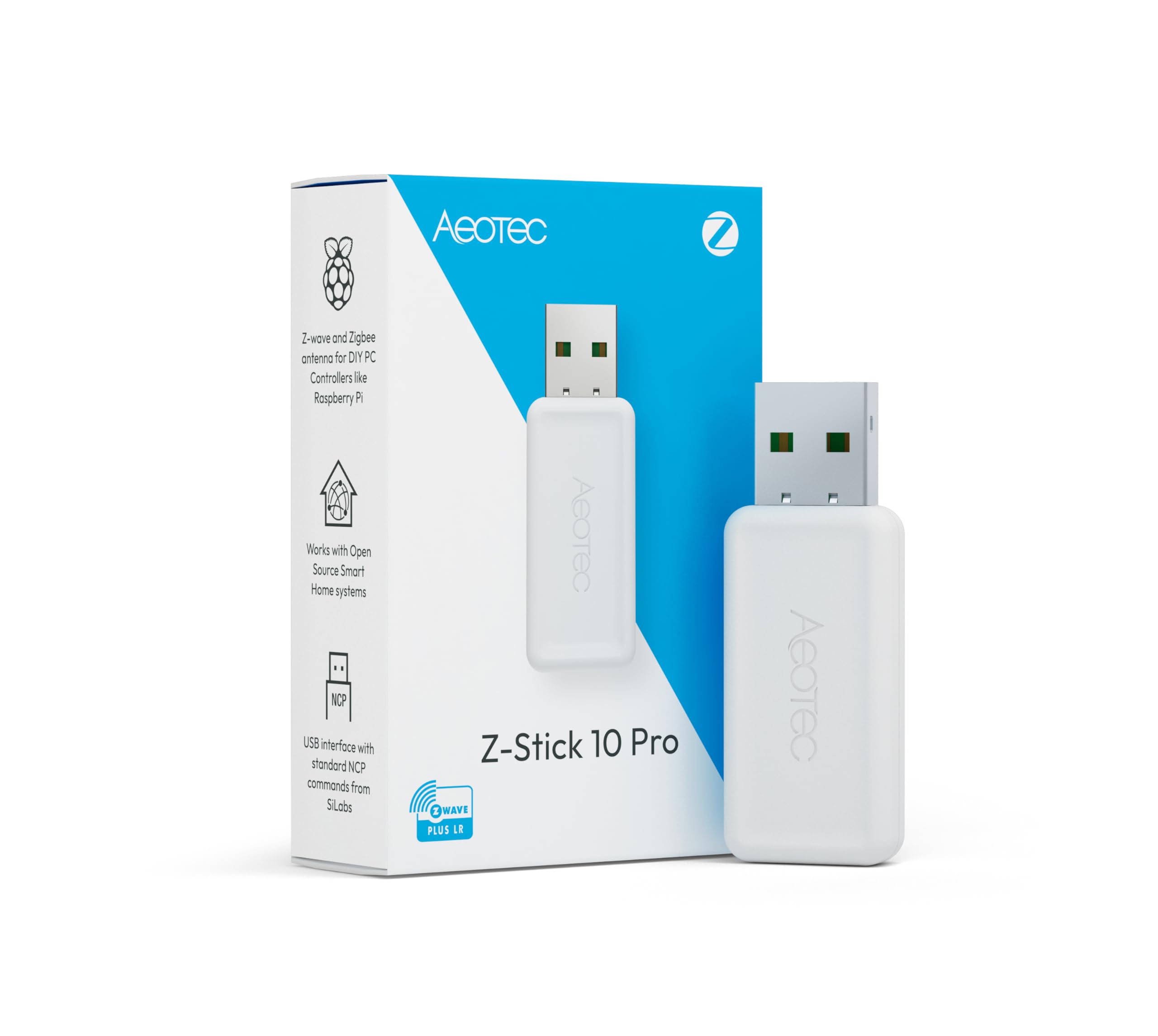
| Z-Stick 10 ProDual Radio | Dual-protocol home networks | Z-Wave 800 | Z-Wave & Zigbee | USB Stick | Amazon |
| AEOTEC Z-Stick Gen5 | Budget-friendly simplicity | Z-Wave Gen5 | Z-Wave Plus | USB Stick | Amazon |
| Homey Bridge | App-based multi-device homes | Z-Wave Plus | Z-Wave, Zigbee, Wi-Fi, BLE, IR | Hub | Amazon |
| Hubitat C-8 Pro | Local-first automation | Z-Wave 800 | Z-Wave, Zigbee, Matter, BLE | Hub | Amazon |
| Homey Pro | Max protocol compatibility | Z-Wave Plus | Z-Wave, Zigbee, Wi-Fi, IR, Matter, Thread | Hub | Amazon |
| Trane XL824 | Thermostat + Z-Wave bridge | Z-Wave | Z-Wave | Thermostat | Amazon |
In‑Depth Reviews
1. Aeotec Z-Stick 7
Our pick — over 4.5★ from 300+ verified ratings; the strongest balance of quality and price.
The unassuming USB stick that becomes the rock-solid heart of a Home Assistant smart home
If you run your smart home from a Raspberry Pi, a Windows PC, a Mac, or Linux, this is the controller owners keep coming back to. The Z-Stick 7 plugs into your computer’s USB port and turns it into a full Z-Wave hub, managing both Z-Wave and Z-Wave Plus devices without breaking a sweat. At just 0.02 kg, it’s light enough to forget it’s there—and that’s exactly the point.
The Z-Wave 700 series chip inside is what earns it the top spot. Aeotec says it transmits wirelessly up to 250% farther in open space with an 18% faster CPU than older sticks, which translates to fewer dead zones and snappier responses when you hit the light switch. It also supports Z-Wave SmartStart and S2 security—the modern encryption standard that keeps your locks and sensors from being an easy target.
Owners consistently report rock-solid stability and fast pairing. “This Z-stick is a lot better than its predecessor that i replaced (the Z-stick 5)” is how owners describe the jump in stability. Buyers report that pairing new devices is fast, and existing networks migrate over cleanly when you take the time to do it right.
Why it wins
- 700 series chip delivers up to 250% farther range in open space
- Works with Raspberry Pi, Windows, Mac, and Linux from the start
- Owners mention rock-solid stability on Home Assistant and Indigo 7
What to know
- Software isn’t included—you need your own platform like Home Assistant
- Migrating an old Z-Wave network takes a little effort
The right fit: Home Assistant users on a Pi or PC who want a proven, dependable USB gateway for Z-Wave and Z-Wave Plus gear.
Think twice if: You want a ready-made hub with its own app—this is a component, not a standalone box.
2. Z-Stick 10 Pro
One USB port, two radios, and a mile of Z-Wave reach for the mixed-protocol home
If you own the Z-Stick 7 but want more, the Z-Stick 10 Pro is your upgrade. It packs both a Z-Wave 800 series chip (the EFR32ZG23) and a Zigbee 3.0 chip (the EFR32MG21) into a single slim stick, so you can run your entire mesh of smart devices—locks, sensors, lights, thermostats—through one USB port instead of juggling two dongles. Customers note it works with Home Assistant on a Pi 5 or a Proxmox VM instantly.
The headline feature is Z-Wave Long Range, which lets the stick reach compatible devices up to 1 mile away in ideal conditions. That kind of reach matters if you have a sensor in a detached garage or a gate at the far end of a big property. Compatibility is the other standout—it plays nice with more than 8000 devices across the biggest smart home ecosystems, including Home Assistant, Zigbee2MQTT, and Z-Wave JS.
Migration is surprisingly painless for an upgrade. “Migration via Home Assistant Z-Wave JS export/import took <15 min; all devices reconnected instantly,” is the experience reviewers point out, which is a far cry from rebuilding a network device by device. The slim design also means it won’t block the USB ports next to it on a crowded Pi or mini PC.
Why it leads
- Z-Wave Long Range reaches up to 1 mile to far-flung devices
- Dual Z-Wave and Zigbee radios in one compact stick
- Compatible with 8000+ devices and major smart home platforms
The trade-off
- Slightly heavier than the Z-Stick 7 at 0.03 kg—a negligible difference
- Some owners needed a Zigbee firmware update from Aeotec after setup
Who it serves: Power users managing both Z-Wave and Zigbee devices who want the newest 800 series radio and long-range reach.
skip it if: Your network is Z-Wave only and you’d rather save the extra spend for the single-protocol Z-Stick 7.
3. AEOTEC Z-Stick Gen5 Plus

The budget stick that punches well above its price class for basic Z-Wave duties
Not everyone needs the newest 800 series silicon. The Z-Stick Gen5 Plus is the entry-level pick that still delivers Z-Wave Plus technology, S2 security, and SmartStart—the QR-code scan method that makes adding new devices a two-minute job. For a Home Assistant user on a Raspberry Pi 3B+ running Raspbian Buster, shoppers say it separates the Z-Wave network from the hub software and just runs reliably in the background.
What makes this a value pick isn’t just the sticker price—it’s that the Gen5 platform is battle-tested. Buyers report it handles devices reliably even as the network expands. Where it falls short of the Z-Stick 7 is raw performance: it lacks the 700 series chip’s faster CPU and extended range, so it’s best suited to compact homes where devices aren’t spread across a huge property.
The build is simple—a polycarbonate body with a QR code for SmartStart pairing. If your smart home is a few switches, a couple of plugs, and a lock, this is all the controller you’ll ever need, and you won’t feel bad about it gathering dust behind the Pi.
The honest read: Older radio tech, but flawless basic performance. Owners pair it with Home Assistant on Pi and Synology NAS setups without complaint.
One caveat: Don’t expect 800 series range—this is a compact-home controller through and through.
Reach for it if: You want a dependable, budget-friendly USB stick for a small Z-Wave network and you don’t need long-range or Zigbee.
Look elsewhere if: You’re building a big home network or plan to add Zigbee devices later.
4. Homey Bridge

A do-it-all hub that ties Sonos, thermostats, and locks together without a PC
Homey Bridge is for the person who wants one box to rule every smart device brand they own. It speaks Z-Wave Plus, Zigbee, Wi-Fi, BLE (Bluetooth Low Energy, the power-sipping wireless standard), and Infrared—that’s the remote-control signal your TV and AC use—so it can replace a pile of separate bridges. Setting up the main hub in the Homey app takes only a few minutes, and linking voice control through Amazon Alexa, Siri Shortcuts, or Google Assistant is a checkbox away.
The honest catch is compatibility. Some owners connect their Sonos, TV, lights, thermostat, and door lock in the app easily, but others hit walls: “When trying to connect via my Pixel, I got ‘Something went wrong, try again'” is the frustration reported by a buyer on the app-connection side. It’s a mixed bag that depends heavily on your exact phone and device ecosystem, so check the Homey App Store for your gear before committing.
There’s also a subscription wrinkle to know about: an active Homey Premium subscription is required to connect more than five devices, and access Homey Insights. The unit ships with three months of Premium included, but after that it’s a monthly cost to keep a fully loaded home running.
What it does best: The breadth of device control—from Sonos to thermostats to locks—is its strongest selling point, all from one app.
Who should pass: Anyone who doesn’t want to troubleshoot connectivity quirks or pay a subscription beyond the five-device limit.
Choose this if: You’re brand-agnostic and want to control many different smart devices through a single, easy phone app.
Be aware: Connectivity is a recurring fit issue for some setups, and the five-device cap without Premium is a real limit.
5. Hubitat Elevation C-8 Pro
The privacy-hardened hub that keeps running your home even when the internet dies
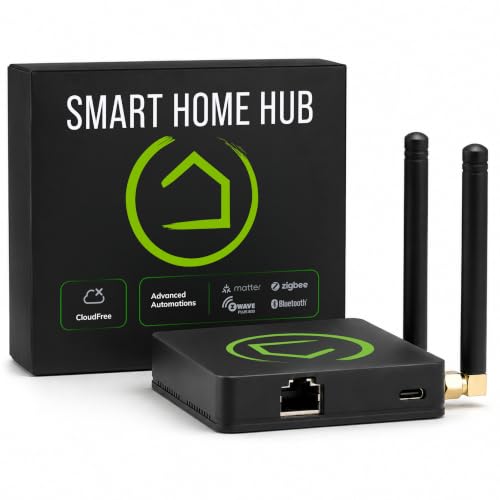
This is the hub for people who care more about privacy and reliability than about having the prettiest app. The Hubitat C-8 Pro runs all its automations locally, inside your home, rather than on remote servers—so your lights, locks, and thermostats keep working even when your internet service drops. There’s no cloud dependency at any point, and no subscription fee required for core features, which makes it a long-term platform rather than a monthly bill.
On the protocol side, it’s a heavyweight: it supports Z-Wave 800 Series, Z-Wave Long Range, Zigbee 3.0, Matter 1.5 (the universal smart home standard), and Bluetooth. That means it can absorb old Z-Wave devices and new Matter gear alike, which owners say makes it a powerful migration platform when moving from a previous hub like a Vera. The Rule Machine engine gives you unlimited automation customization, and a text-to-automation AI engine can build routines for you if you don’t want to hand-code every condition.
The trade-off is the learning curve. The interface can feel unnecessarily complicated, and while the hardware is fast and reliable, building complex rules takes real effort—even software engineers note that device inclusion and stability require persistence. This is not a plug-and-play replacement for a Hue setup; it’s a hub for tinkerers who want total control.
Street cred
- Local processing keeps automations alive without internet
- Multi-protocol: Z-Wave 800, Zigbee 3.0, Matter 1.5, Bluetooth
- No mandatory subscription for core features
The grind
- Steep learning curve on the Rule Machine interface
- Owners mention the browser UI can get sluggish with large rule sets
Built for: Enthusiasts and power users who want local, private control and don’t mind a learning curve for endless customization.
Not for: Beginners seeking instant plug-and-play simplicity—plan to invest setup time here.
6. Homey Pro (Early 2023)

The Swiss-army hub that speaks seven wireless languages and controls 50,000 devices
If you have ever bought a smart device only to find it needs its own specific bridge, the Homey Pro is the answer. It supports a staggering seven technologies in one local-first hub: Wi-Fi, Zigbee, Z-Wave Plus, Infrared, BLE, Matter, and Thread. That covers essentially every wireless standard a smart home gadget uses today, which means you can connect gear from more than 1,000 brands—Sonos, Philips Hue, Aqara, TP-Link, Ecobee, IKEA, Yale, and many more—without juggling a drawer full of hubs.
Everything runs locally on the device itself, so your data stays on the Homey Pro and cloud dependency is minimized. The Flow automation engine is the reason enthusiasts swear by it; you can build automations as simple as “switch the whole home off with one button” or as advanced as scheduling lights around solar generation. Owners describe it as a genuine upgrade from HomeKit or Home Assistant for its ease and stability, and the company pushes frequent updates to keep adding device support.
The flip side is that this depth of compatibility has gaps in the details. Customers note that some US brands and specific devices—like a Stelpro thermostat—aren’t recognized properly by the generic Z-Wave driver, and that Wi-Fi can be unstable without a wired Ethernet connection (an adapter that isn’t included). Read the official Homey app listings for your exact devices before you commit at this price point.
The peak: The protocol breadth is class-leading—seven radios in one hub is the best answer to a multi-brand smart home.
The valley: Device support has version-specific holes, and some owners recommend a wired connection for reliability.
Pick this if: You want one premium hub to control every wireless standard and you’re ready to verify device support in the Homey app store.
Pass on it if: You have an unsupported US brand or you want a fully plug-and-play experience without checking compatibility lists.
7. Trane XL824 Nexia Control
The thermostat that doubles as a Z-Wave bridge, so your HVAC runs the smart home show
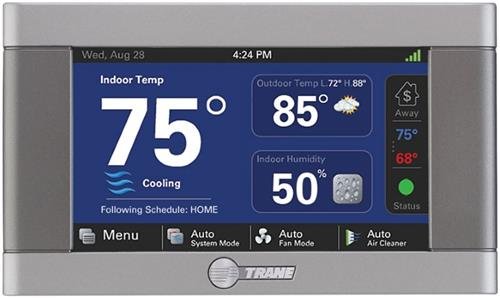
This pick is a different kind of Z-Wave controller: a high-end thermostat with a built-in Z-Wave bridge. The Trane XL824 controls your heating and cooling directly—it supports up to 5 Heat Stages and 2 Cool Stages for conventional 24v Heat/Cool and dual fuel systems—and it also acts as a Z-Wave gateway for your other smart devices. It’s the rare controller that earns its place on the wall as a daily-use gadget rather than hiding behind a server rack.
The hardware is genuinely pleasant to use. The 4.3-inch diagonal color touchscreen is high-resolution and clear, with a digital readout that owners describe as sharp. Functionality is the #1 thing buyers praise most, and the advanced scheduling options—up to six daily heating and cooling schedules—plus remote control via Wi-Fi or Ethernet through the Nexia app make it a legitimately smart thermostat, not just a pretty face.
The catch is the ecosystem. Thermostat control via the Nexia app is free, but Z-Wave device control costs a monthly subscription—/month for the Z-Wave functionality, according to owners. It’s also built on an older Z-Wave standard rather than Z-Wave Plus, which is a limitation if you want the newest S2 security or long-range radios. If your top priority is a beautiful thermostat that happens to bridge a few Z-Wave devices, this fits the bill.
Why it’s unique
- Built-in Z-Wave bridge means the hub is on your wall, not hidden away
- Crisp 4.3-inch color touchscreen for daily HVAC control
- Handles up to 5 Heat and 2 Cool stages for complex systems
The limits
- Z-Wave control requires a /month subscription after the free thermostat tier
- Built on older Z-Wave tech, not Z-Wave Plus
Choose it for: The home where the thermostat should be the centerpiece—a great display with Z-Wave bridging as a bonus.
Look past it if: You need a serious Z-Wave controller network; the subscription and older standard hold it back.
Understanding the Specs
Z-Wave Long Range
This is the newest trick in the Z-Wave playbook. Standard Z-Wave uses a mesh network—each device passes the signal to its neighbors to reach the controller. Long Range skips the mesh and lets the controller talk directly to compatible devices over much bigger distances, like up to 1 mile in open space. It’s perfect for a sensor in a detached garage or a gate at the far end of a property, but remember the range claim assumes clear, open ground.
SmartStart & S2 Security
SmartStart is the QR-code pairing method that makes adding a new Z-Wave device as easy as scanning a label—the controller handles the rest automatically. S2 Security is the modern encryption standard for Z-Wave, protecting your locks, sensors, and other gear from being intercepted by snooping neighbors. If you’re buying a new controller, look for both of these in the spec sheet.
Radio Generation Matters
The chip generation—Gen5, 700 series, 800 series—determines how far and how fast your Z-Wave network works. The new 800 series radios add Z-Wave Long Range and are the most future-proof choice, while the older 700 series is still a very reliable workhorse. A Gen5 stick is fine for a small home but will show its age as your network grows.
USB Stick vs Dedicated Hub
A USB stick controller plugs into a computer or Raspberry Pi and turns it into your smart home brain—cheap and flexible, but tied to that machine staying on. A dedicated hub is a self-contained box that runs its own software, so it keeps working no matter what happens to your PC. Sticks suit tinkerers; hubs suit people who want a reliable appliance.
FAQ
Will a Z-Wave USB stick work with my existing Home Assistant setup?
What is the difference between Z-Wave and Zigbee?
How many devices can I connect to a Z-Wave controller?
Does a Z-Wave controller need an internet connection to work?
Is a more expensive hub always better than a cheap USB stick?
What is Z-Wave Long Range and do I need it?
Can a smart thermostat act as a Z-Wave controller?
What does S2 Security do for my smart home?
Final Thoughts: The Verdict
For most buyers, the z-wave controller winner is the Aeotec Z-Stick 7 because it pairs the proven 700 series radio with dependable Home Assistant compatibility and easy multi-OS setup. If you want the newest long-range tech and dual Z-Wave/Zigbee support, grab the Z-Stick 10 Pro. And for a self-contained, local-first hub that handles many protocols without a subscription, the Hubitat C-8 Pro is the one to reach for.
How We Picked
We do not accept paid placement. Every pick is matched to a real buyer and a real use-case; we do not hands-on test units.
Sources & Methodology
Specifications: manufacturer listings and product documentation. Review insights: verified customer reviews, as of August 2026. Pricing: not shown on this page (it changes often); check the current price via the retailer link.
As an Amazon Associate, Calories Fit earns from qualifying purchases. This does not affect which products we feature.