
Our readers keep the lights on and the coffee maker working hard! As an Amazon Associate, I earn from qualifying purchases.
Specs are compiled from manufacturer listings and verified buyer reviews and can change over time — please confirm the key details on the product page before buying.
Your gym’s front desk or training floor is prime real estate, and the right screen turns that space into your hardest-working staff member — showing class schedules, promoting personal training, and running interval timers that keep workouts honest. The problem is that “gym display” spans everything from a wall clock to a video wall, and picking wrong means a dim screen your members ignore within a month. This guide breaks down the five setups that actually earn their floor space, from an interactive kiosk that drives class sign-ups to a foldable LED wall built for event nights.
I’m Mohammad — the founder and writer behind Calories Fit. This guide is built by comparing the manufacturers’ published specifications and the patterns across verified customer reviews, so you get each pick’s real strengths and trade-offs instead of marketing spin.
Whether you run a boutique studio or a commercial floor, this breakdown of the best workout display for gym covers the full range from budget-friendly timers to premium interactive kiosks.
Our Picks at a Glance
How To Choose The Best Workout Display for Gym
Before you spend, decide what job the screen actually does. A floor-standing kiosk that streams promo videos and lets members tap through schedules solves a completely different problem than a wall clock that beeps through a Tabata round. Match the display type to your floor’s daily reality, not to a spec sheet.
Touchscreen interactivity vs. passive playback
If you want members to check class times, book sessions, or browse membership tiers on their own, you need a touchscreen kiosk running Android — the kind where guests tap through content instead of just watching it roll. If your goal is simply a looping promo or a live class schedule, a non-touch floor display does the job for less. Interactive units cost more, but they turn a passive screen into a self-service tool that answers questions without pulling staff off the floor.
Brightness and viewing angle matter more than resolution
A gym lobby with big windows will wash out a dim screen faster than you expect. Look for a brightness rating of 350 to 500 nits (a measure of how intense the backlight is) and a viewing angle around 178° (the widest angle you can stand off to the side and still read the image clearly). A 4K panel is impressive, but if the lobby is bright, the brightness number matters more than the pixel count.
How you update the content decides your daily workflow
Every display here connects over Wi-Fi, but the control software differs. The best setups include a CMS (content management system — a web dashboard where you upload new videos, images, and schedules and push them to the screen remotely). Without it, you are plugging in a USB stick every time a class time changes. For a facility that updates promotions weekly, remote management saves real hours.
Quick Comparison
| Model | Best For | Screen Size | Resolution | Brightness | Amazon |
|---|---|---|---|---|---|
| MWE 49″ Floor Display★ Best Overall | Affordable promo playback | 49 Inch | 1920 x 1080 | — | Amazon |
| YCKJNB 65″ KioskAlso Great | Interactive touch in bright lobbies | 65 inch | 3840 x 2160 | 500 nits | Amazon |
| JASZDOT 65″ Touch Kiosk | High-contrast interactive menus | 65” | 3840 x 2160 | 350 nits | Amazon |
| Boyiit 26″ Gym Timer | Budget interval workouts | 26” | — | — | Amazon |
| JASZDOT 80″ LED Wall | Events and temporary installs | 80″ | 344*1032 | — | Amazon |
In‑Depth Reviews
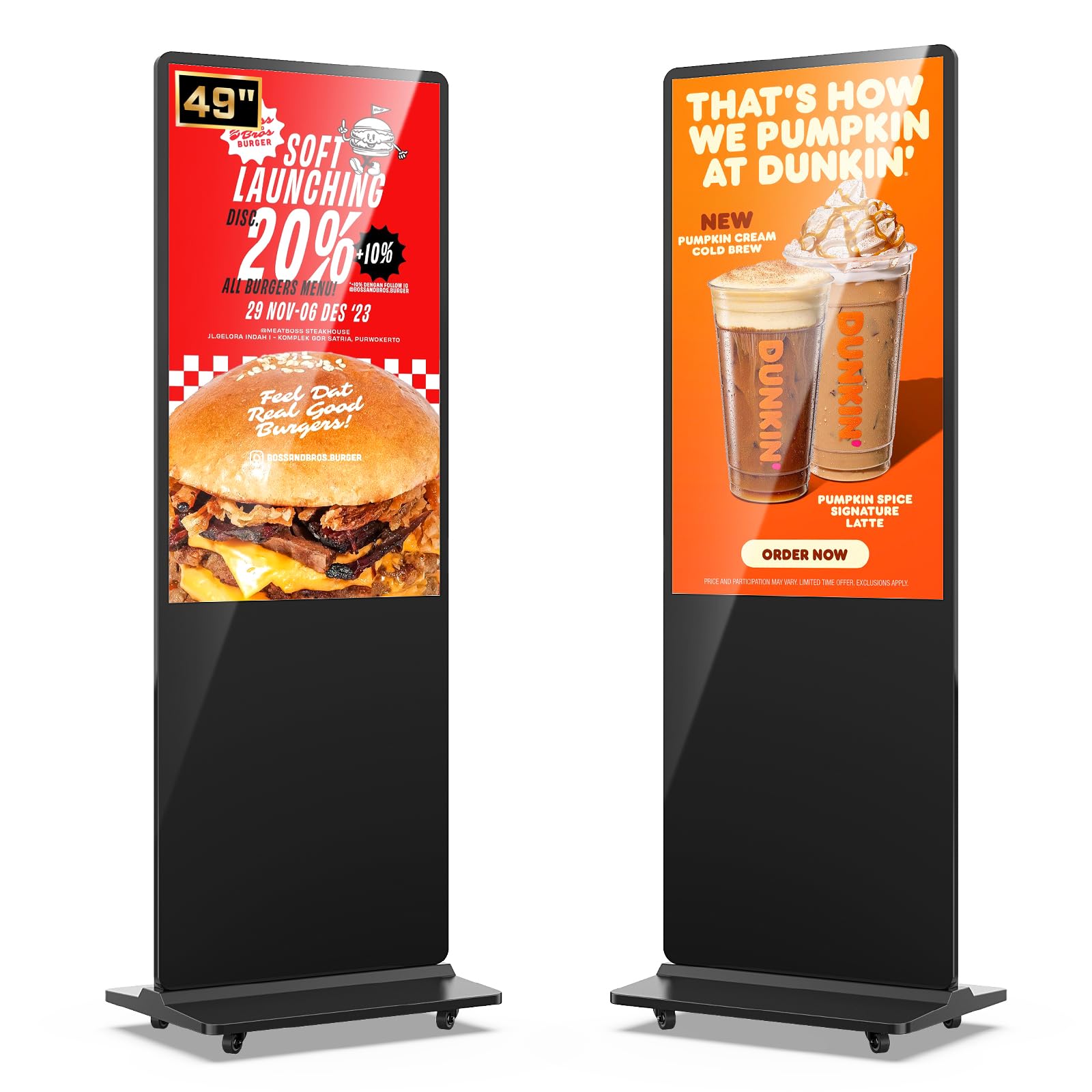
1. MWE 49″ Floor Standing Display
Our pick — 4.5★ from 50+ verified ratings; the strongest balance of quality and price.
A 49-inch 1080p workhorse that proves a gym doesn’t need 4K to move members.
Most gyms just need a clean, bright screen that runs a promo loop and a class schedule all day — and this 49-inch floor display does exactly that without the cost of a touchscreen. The FHD IPS panel (full high-definition, 1920 x 1080) delivers crisp, vibrant video, and the 178° viewing angle means the image stays clear from anywhere in the lobby. It is a third smaller on the diagonal than the 65-inch kiosks above, which makes it a smarter fit for tight entryways.
It runs a user-friendly Android system with built-in media player, Wi-Fi, and networking, so you update content remotely instead of climbing a ladder with a USB stick. The split-screen feature lets you run a video in one zone and a scrolling text banner in another — class times on one side, membership promos on the other. You can also mount an external player box inside the unit.
The owner feedback here is remarkably consistent: display quality gets the most praise, with reliability right behind it. Owners mention easy setup, a sleek look, and support that responds quickly. A clothing store credits featured items on the screen with a 40% sales increase, a concrete return that justifies the upfront cost.
Commercial proof: customers note featured-item sales jumping 40% when the display runs promos — a measurable return on a modest investment.
The fit call: this is a passive playback screen; if you want self-service touch booking, step up to a touch kiosk.
Best for: studios and gyms that want a professional, reliable promo display without paying for touch interactivity.
Not for: members who’d tap through schedules themselves — that needs a touchscreen model.
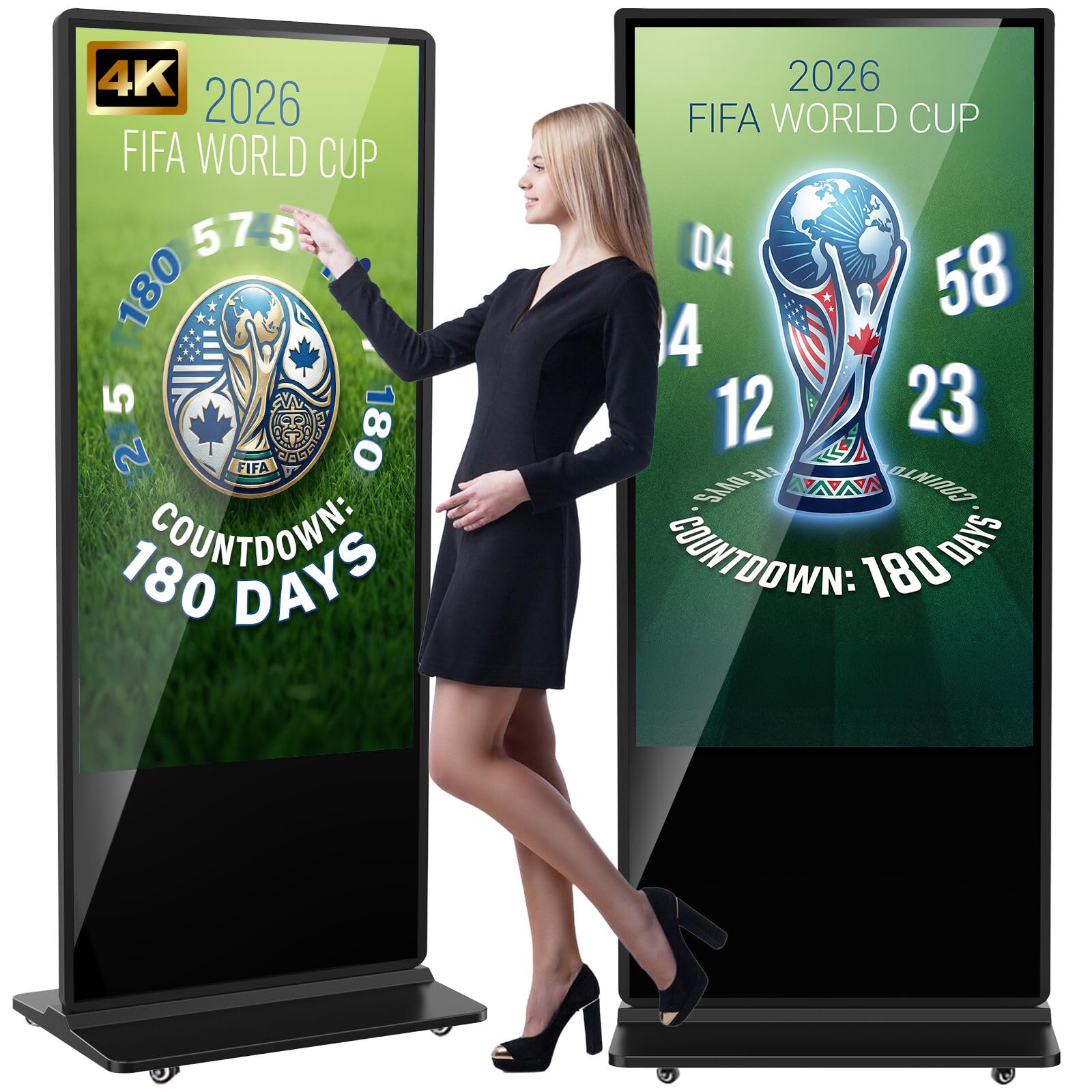
2. YCKJNB 65″ 4K Touchscreen Kiosk
The interactive 65-inch that turns your lobby into a self-service check-in desk.
This is the display that does everything a busy gym asks for: stream a promo loop, let a member tap through the schedule, and stay readable in a sunlit lobby. The 4K IPS panel (a screen type known for accurate colors and wide viewing) runs at 3840 x 2160, and the 500 nits of brightness (the backlight intensity) means crisp content even near windows — the brightness figure is a full 150 nits higher than the JASZDOT kiosk below, so in a bright room this one leads on visibility.
The 178° viewing angle keeps the image clear when members walk past at an angle, not just straight-on. It runs Android with two 8Ω 5W speakers built in, so you can play video with sound without adding external speakers. You get USB, HDMI, and Wi-Fi connectivity, plus timed on/off so the screen isn’t burning power all night.
The crowd reading is overwhelmingly positive — build quality is the thing owners praise most, and the touch responsiveness runs a close second. The review pages describe a full glass face that feels solid, a responsive touchscreen, and a brightness that “holds in sunlight.” An occasional owner mentions the touchscreen as a major reason they bought it for their studio, noting vibrant colors and crisp text readable across the room.
What wins members over
- 500-nit backlight keeps ads legible in bright gym lobbies
- Split-screen plays video and images side by side
- Responsive touchscreen handles self-service check-ins
What to weigh first
- Free custom logo panel requires sharing your logo file after purchase
- At 65 inches it needs generous floor space
Reach for this if: you want one interactive screen that manages class bookings and promos in a bright, high-traffic space.
Look elsewhere if: you only need a looping schedule — the non-touch MWE below covers that for less.
3. JASZDOT 65” 4K Touch Kiosk

A premium interactive kiosk with the deepest contrast for punchy, high-impact visuals.
If your gym’s branding lives on bold colors and dramatic video, this 65-inch touchscreen makes those visuals pop. Its contrast ratio of 3000:1 (the difference between the darkest black and brightest white on screen) is the deepest of any pick here — three times the 1000:1 ratio on the YCKJNB kiosk — so dark backgrounds and bright text separate with real punch. It runs 4K UHD at 3840 x 2160 on a glossy LCD panel.
The 350-nit brightness is lower than the YCKJNB’s 500 nits, so a very bright lobby favors the YCKJNB; this one earns its keep where controlled lighting lets that contrast shine. It runs Android with 5G Wi-Fi and Google Apps, so you can upload images, videos, and text from a phone or laptop and push updates in real time. The freestanding design includes a lockable wheel base.
Owners in restaurant settings call it reliable for running daily-changing menus, with sharp text readable from a distance and a responsive touch. The service story matters here — The manufacturer backs it with a 3-year warranty and lifetime technical support., and buyers report the company helps set up the touchscreen and even replaced a damaged screen free after troubleshooting. One owner expanded from 2 to 7 screens after the first worked so well.
Deep-contrast standout: the 3000:1 ratio gives this kiosk the richest, most dramatic image of the five — ideal for showcasing high-energy fitness content.
The honest caveat: at 350 nits it isn’t the brightest panel, so daylight lobbies suit the YCKJNB better.
Choose this when: your space has controlled lighting and you want the punchiest, most premium-looking interactive display.
skip it if: your kiosk sits in direct window light all afternoon.
4. Boyiit 26” Gym Interval Timer

A 26-inch wall timer built for Tabata and HIIT floors, not lobby promo loops.
For a small home gym or a dedicated HIIT corner, this is a different kind of display entirely — a workout interval timer, not an advertising screen. It’s a 26-inch aluminum wall clock you program with presets for Tabata, EMOM1, EMOM2, FGB1, FGB2, HIIT, MIIT, and WRC+, plus 10 custom workout groups. You can start a default interval with one button or set your own, with up to 99 rounds per session and a 10-second preparation warning that beeps before the work period starts.
The extra touches are genuinely useful for a training space: 7-color night lighting doubles as an atmosphere light, and 8 alarm clocks with four scheduling modes cover everything from weekday-only alarms to single-use reminders. It shows the current round while you work, so a class always knows where they are in the set.
The honest catch is longevity. The most-discussed issue among owners is the backlight going permanently dim after several months — the review pages include accounts of a screen that “went dim like other reviews said, and it won’t get bright anymore,” plus one unit that stopped working at the 7-month mark due to a faulty AC/DC connector. The gym-fit verdict is split: owners running HIIT workouts in a garage love the concept and ease of setup, but the dimming reports make this a budget gamble rather than a reliable multi-year install.
Training-floor strengths
- Pre-programmed Tabata, EMOM, and HIIT modes start in one button press
- 7-color night light doubles as gym atmosphere lighting
- 8 alarms with weekday and single-use scheduling options
The longevity caution
- Backlight dimming after a few months is the recurring owner complaint
- One unit hit a faulty AC/DC connector at 7 months
Grab this if: you run a garage or small home gym and want a cheap, loud way to structure HIIT rounds.
Think twice if: you need a display you can depend on for years without service — the dimming reports argue for a pricier install.
5. JASZDOT 80″ LED Video Wall
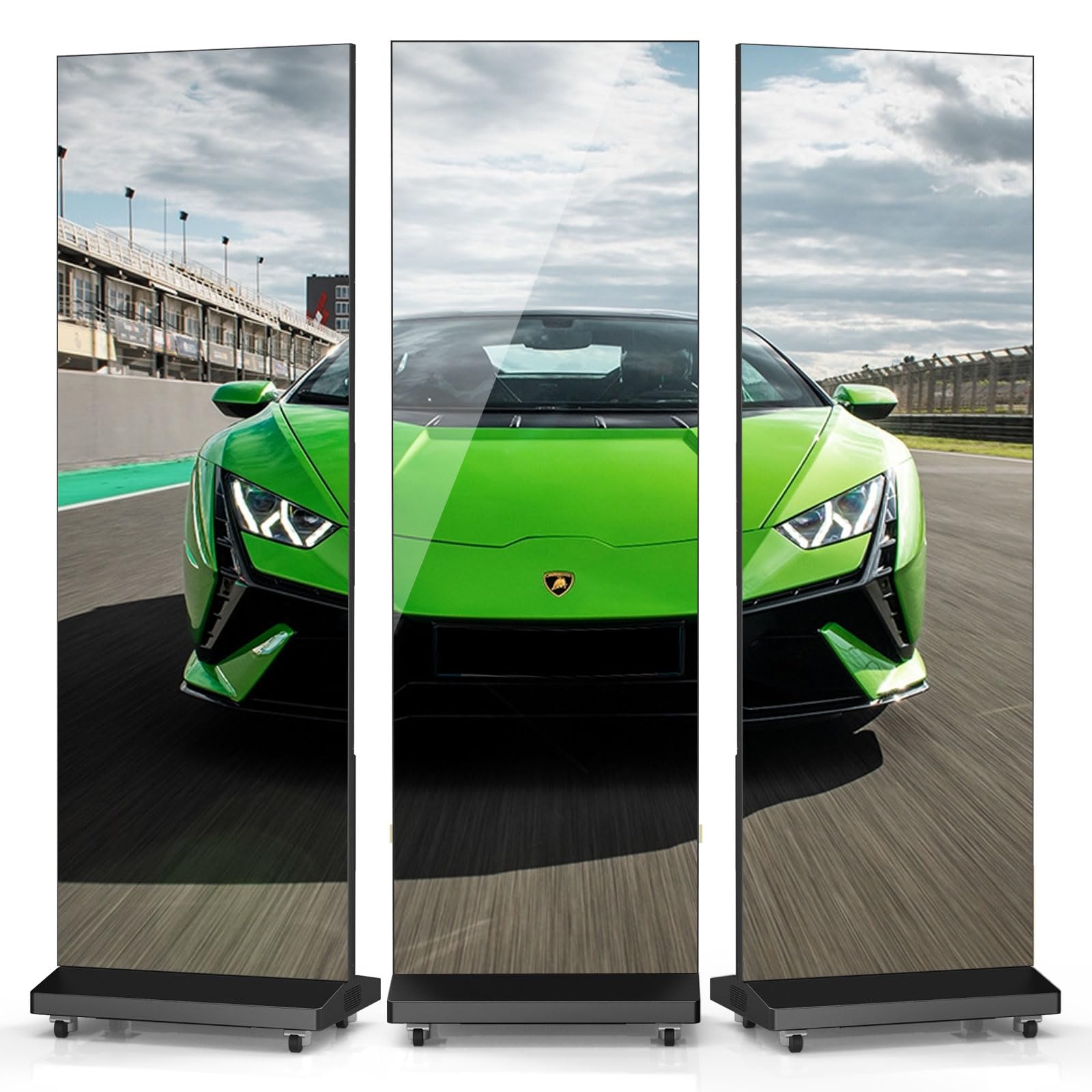
A foldable LED screen in a flight case that goes where your gym’s events go.
This is the display you wheel out for a community fitness event, a showcase night, or a rental side business — and pack down when it’s over. The 80-inch LED poster screen folds up and rolls on built-in wheels, protected by a durable airline case, so it travels between venues without a freight team. Where the other picks here are fixed installs, this one is built for the van.
The LED panel (a display made of individual light-emitting diodes, known for extreme brightness) runs a 21:9 aspect ratio at a 344 x 1032 resolution. It supports up to 6 screens stitched together into one continuous image, so a big event can scale from one poster to a full wall. GOB technology (Glue on Board — a protective coating over the diodes) makes it more resistant to moisture, dust, and vibration, which is exactly the abuse event gear takes. You control content from a cloud platform on any phone, tablet, or computer.
Owners consistently praise how easy it is to install and use — the top theme in the feedback — with performance close behind. The review pages describe a display that runs reliably in a restaurant with 6 pieces linked, works over VLAN signal transmission, and attracted crowds at a trade show booth. One buyer liked the first unit so much they ordered more, calling the displays “rock solid” and noting the support team even handled custom color calibration.
The mobility edge: wheels, a flight case, and a foldable frame mean one screen serves multiple venues — the other picks here are permanent.
The scale trade: at 344 x 1032 resolution with a 21:9 frame, it’s built for bold crowd-facing visuals, not close-up text reading.
Pick this when: you run events, rentals, or multiple locations and need a display that packs into a case.
pass on it if: you need a permanent lobby screen — a fixed kiosk gives you far higher resolution for the money.
Understanding the Specs
Brightness (nits)
Nits measure how intense the backlight is — the number directly controls whether your screen is readable in a bright room. A 350-nit panel works fine under typical indoor lighting, but a lobby with windows needs 500 nits to keep content from washing out. If your display sits in direct light, shop for the higher number first, before you even compare resolution.
Resolution (1080p vs 4K)
Resolution is the pixel count on the panel, and it determines how sharp text and video look up close. A 1920 x 1080 (1080p) screen is perfectly sharp from a few feet away — ideal for a promo loop. A 3840 x 2160 (4K) panel quadruples the detail, which matters when members stand close to read class schedules or tap a touchscreen. For floor-standing kiosks, 4K is worth the jump; for a timer clock, resolution is irrelevant.
IPS vs LED panel types
The panel technology decides viewing angle and brightness. IPS (in-plane switching) gives wide 178° viewing angles and accurate colors, so the image holds when people walk past at an angle — that’s why gym kiosks use it. LED video walls use thousands of tiny light-emitting diodes for extreme brightness and punch, but at a lower effective resolution up close. Choose IPS for permanent, readable displays; choose LED for bold, crowd-facing visuals.
CMS and content management
A CMS (content management system) is the web dashboard where you upload videos, images, and schedules and push them to your screens over Wi-Fi. Without one, you’re updating content by physically plugging a USB stick into every display. For a gym updating class times weekly, remote control over the network is the feature that saves real staff hours — and most floor kiosks here include it built in.
FAQ
Will a 49-inch display look small in my gym lobby?
Do I need a touchscreen for a gym display?
How bright does a gym display need to be?
Can I update the content without plugging in a USB stick?
How long do these gym displays last?
Is a wall timer or a kiosk better for HIIT workouts?
Can I connect multiple screens into one big display?
Will a floor-standing kiosk fit through a standard door?
Final Thoughts: The Verdict
For most gyms, the workout display for gym winner is the YCKJNB 65″ Touchscreen Kiosk because it combines a 500-nit 4K panel with responsive touch — the brightness holds in sunlit lobbies and the interactive screen handles self-service bookings. If you want the deepest, punchiest contrast for dramatic fitness content under controlled lighting, grab the JASZDOT 65” Touch Kiosk. And for a portable option that wheels out for events and packs into a flight case, the JASZDOT 80″ LED Wall is the one to reach for.
How We Picked
We do not accept paid placement. Every pick is matched to a real buyer and a real use-case; we do not hands-on test units.
Sources & Methodology
Specifications: manufacturer listings and product documentation. Review insights: verified customer reviews, as of August 2026. Pricing: not shown on this page (it changes often); check the current price via the retailer link.
As an Amazon Associate, Calories Fit earns from qualifying purchases. This does not affect which products we feature.