
Our readers keep the lights on and the coffee maker working hard! As an Amazon Associate, I earn from qualifying purchases.
Specs are compiled from manufacturer listings and verified buyer reviews and can change over time — please confirm the key details on the product page before buying.
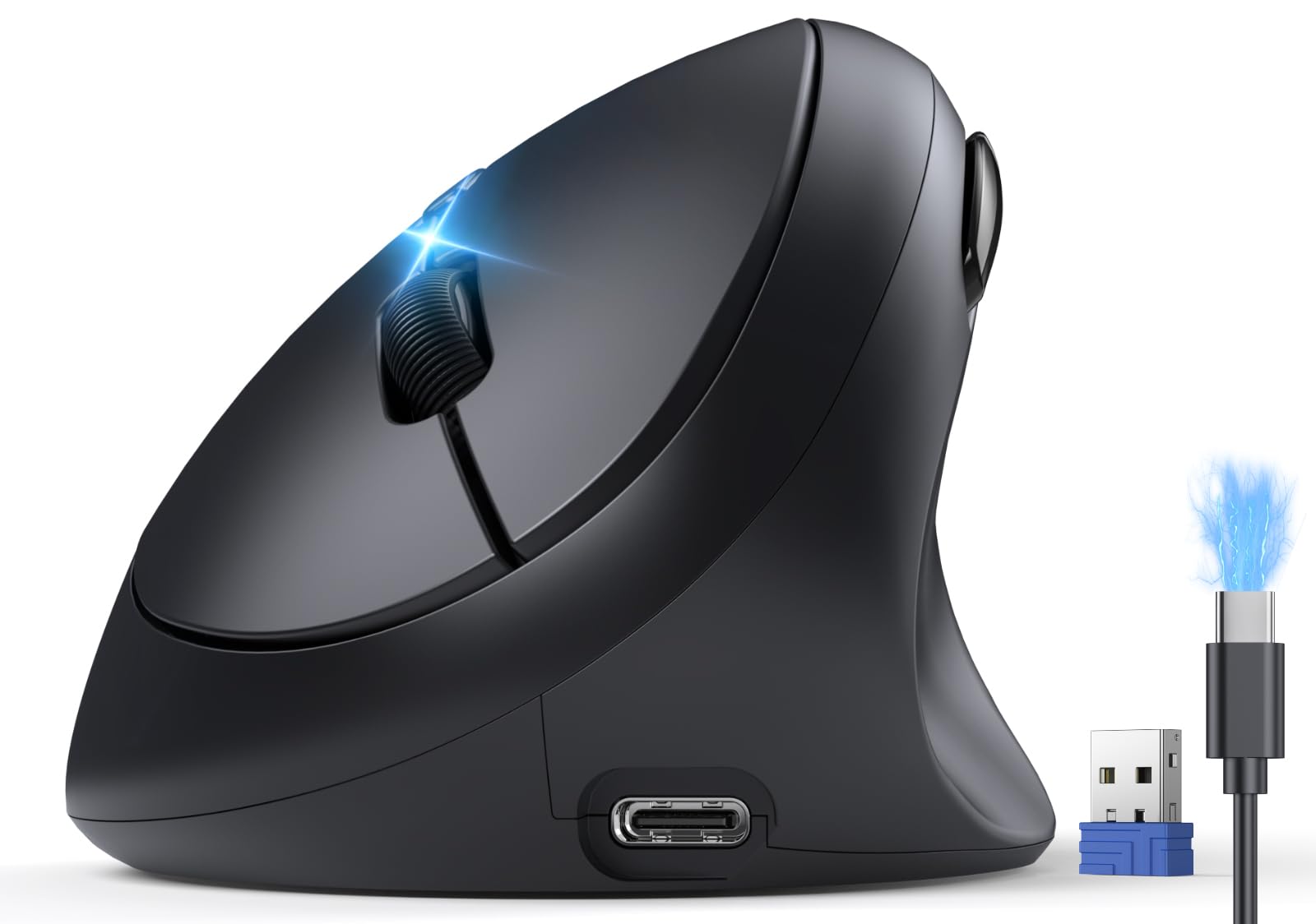
Aching wrists and a numb forearm after a long day at the keyboard are the classic warning signs that your flat mouse is working against you. A vertical mouse repositions your hand into a natural “handshake” angle, which takes the twist out of your wrist and lets your whole arm relax. The trade-off is that models vary wildly in battery life, button layout, and how well they fit different hand sizes, so the right pick depends on matching the specs to your daily routine.
I’m Mohammad — the founder and writer behind Calories Fit. This guide is built by comparing the manufacturers’ published specifications and the patterns across verified customer reviews, so you get each pick’s real strengths and trade-offs instead of marketing spin.
From marathon 800mAh batteries to silent clicks and multi-device switching, this breakdown of the best wireless vertical mouse options helps you find relief without sacrificing productivity.
Our Picks at a Glance
How To Choose The Best Wireless Vertical Mouse
Picking the right vertical mouse is less about brand loyalty and more about matching the tool to your hand size, your workspace, and how long you spend clicking each day. The most important factors are the angle of the grip, the battery type, and the connection options, because those three things determine your daily comfort and convenience.
Match the Angle to Your Hand
The vertical angle is the core of this entire category. A steeper angle, like the 57° on the Logitech MX Vertical, puts your wrist in a more upright posture, which can feel drastic at first but offers maximum relief for some. Other models sit at 52°, which is a gentler transition for beginners. Pay attention to hand-size notes, too — several models are explicitly designed for small to medium hands, while others, like the Logitech, are praised by users with larger hands.
Battery and Charging Convenience
Rechargeable batteries are standard here, but the capacity tells you how often you will hunt for a cable. A larger 800mAh cell can push runtime to 200 hours, while a 500mAh or 600mAh battery might need a weekly top-up depending on use. Check whether the mouse charges via USB-C or offers a wireless charging pad, as that changes how you will keep it powered during a busy workweek.
Quick Comparison
| Model | Best For | Battery | DPI Levels | Connections | Amazon |
|---|---|---|---|---|---|
| TECKNET Vertical Mouse★ Best Overall | All-day comfort & value | 600mAh | 4800 DPI | BT + 2.4G | Amazon |
| AOC Vertical MousePremium Pick | Feature-packed premium | 800mAh | 4800 DPI | BT + 2.4G + Wired | Amazon |
| Uineer A06S | Quiet multi-device work | 500mAh | 2400 DPI | BT + 2.4G | Amazon |
| Uineer A9 | Lightweight everyday use | Internal | 2400 DPI | BT + 2.4G | Amazon |
| Perixx PERIMICE-713RX | Wireless charging fans | Rechargeable | 1600 DPI | 2.4G + Pad | Amazon |
| Ergodriven Om | Gamers & customization | 5 weeks | 2400 DPI | BT + 2.4G | Amazon |
| Logitech MX Vertical | Large hands & premium build | 4 months | 4000 DPI | BT + USB | Amazon |
In‑Depth Reviews
1. TECKNET Ergonomic Mouse
Our pick — over 4.5★ from 7,000+ verified ratings; the strongest balance of quality and price.
The crowd-pleasing vertical mouse that nails comfort and battery life without the premium price tag.
Comfort is the headline here, and it is backed by the most owner praise in this lineup. The 52° vertical angle lets your hand rest in a relaxed handshake grip, and the feedback is consistent: people report real relief from finger cramping and wrist pain, with several calling it a lifesaver for carpal tunnel symptoms. It is a smaller build, so it fits S/M hands like a glove, though larger hands will find it snug.
Battery life is a genuine highlight — buyers report getting over a month of daily use from the 600mAh rechargeable cell, and the low-battery beeps give you a 24-to-48-hour heads-up before it dies. A 1.5-hour charge yields up to 2 months of use., which is excellent for a device in this tier, and the USB-C cable means you can top it up from your laptop charger. Its silent click technology reduces click noise by 99%., so it is library and open-office friendly.
Connectivity is flexible with Bluetooth 5.0/3.0 and a 2.4G USB-A receiver, letting you switch between three devices smoothly. The 4800 DPI adjustable sensor covers 6 levels (800 to 4800), which handles everything from photo editing to casual gaming. One quirk: the middle wheel button only works via Bluetooth, not over the USB receiver, so check your primary connection method before relying on that function.
What wins people over
- Exceptional battery life — over a month per charge in daily use
- Silent clicks reduce noise by 99% for quiet workspaces
- 6 adjustable DPI levels up to 4800 for precise tracking
- Comfortable 52° angle relieves wrist and finger strain
- Switch between 3 devices via Bluetooth and 2.4G
Who should think twice
- Best for small to medium hands; larger hands may feel cramped
- Middle button function limited to Bluetooth mode only
- Forward/back buttons don’t work on Mac
Reach for this if: you want proven comfort and class-leading battery life at a value price.
Look elsewhere if: you have large hands or rely on the middle-click over a USB receiver.
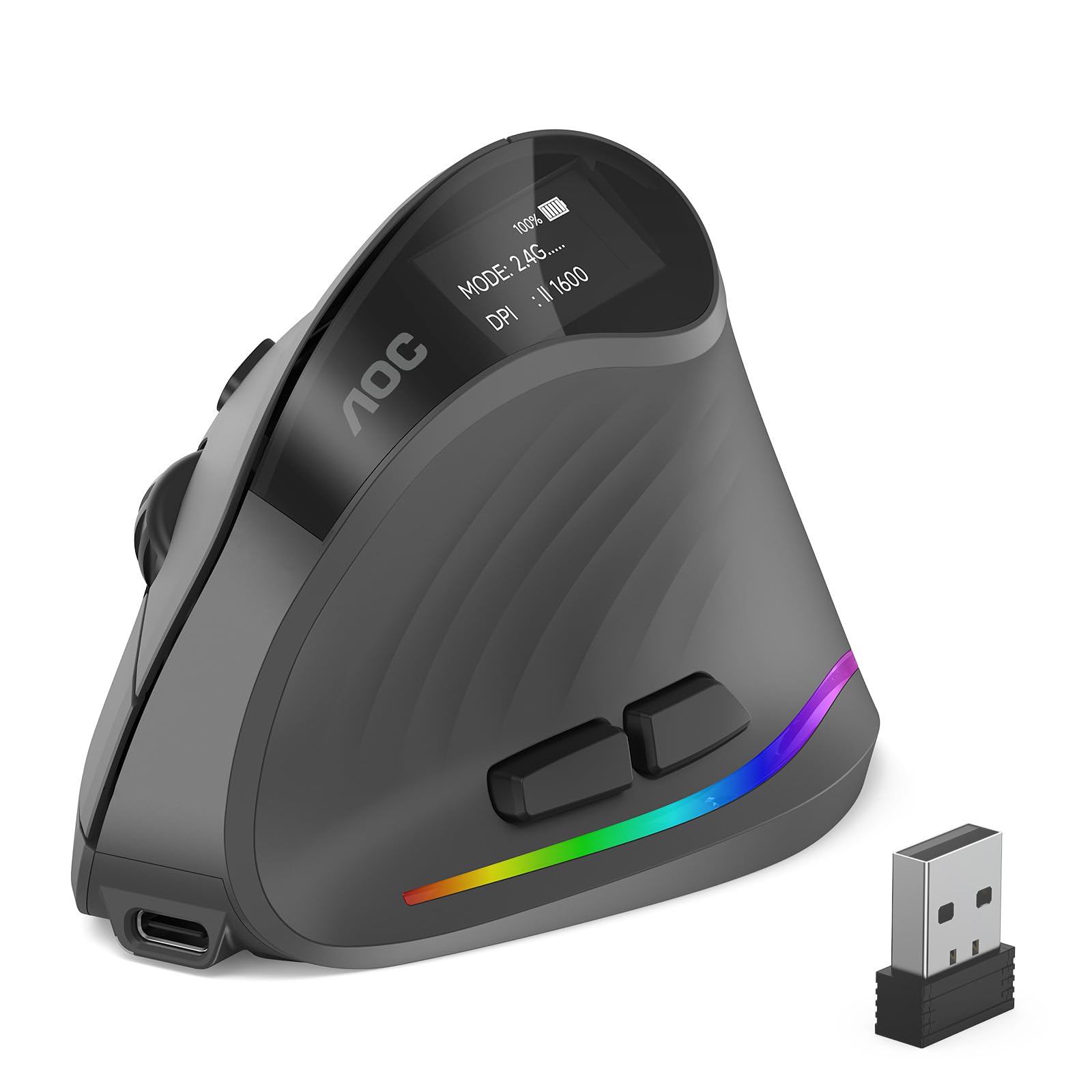
2. AOC 2.4GHz Wireless Ergonomic Vertical Mouse
The feature-loaded vertical mouse with an LED battery screen and triple-mode connectivity.
The AOC stands out immediately with its integrated LED status screen, which shows your battery percentage and DPI setting at a glance — no more guessing when it will die. Its 800mAh battery is the largest here, running up to 200 hours without RGB or 40+ hours with it on.. That’s a 33% capacity edge over the TECKNET’s 600mAh cell., which translates to a noticeably longer gap between charges for heavy users.
Comfort is a strong suit, with the 52° vertical angle reducing wrist twisting and forearm tension, and owners specifically note it reduces wrist strain and pain. It glides smoothly and has a non-slip texture that feels secure. The 4800 DPI sensor offers 5 adjustable levels (1000/1600/2400/3200/4800), giving you precise control from detailed design work to fast-paced tasks.
This is the most connected mouse here, offering Bluetooth 5.4, a 2.4GHz receiver, and a USB wired connection for triple-mode flexibility. You can switch across up to three devices in Bluetooth mode. A caveat: this model is tune for small to medium hands, and it is not recommended for large hands.
Standout features
- LED screen shows battery percentage and DPI at a glance
- 800mAh battery runs up to 200 hours without RGB
- Triple-mode: Bluetooth 5.4, 2.4GHz, and USB wired
- 7 programmable buttons with RGB customization
Honest trade-offs
- Battery life is mixed in reviews — some report 5-7 business days per charge
- Sleep mode activates every 2-4 minutes, though wake is quick
- tune for small-medium hands only
Pick this for: the most feature-dense option with a battery readout and wired backup.
Consider another if: you have larger hands or hate frequent sleep-mode interruptions.
3. Uineer Ergonomic Wireless Vertical Mouse (A06S)
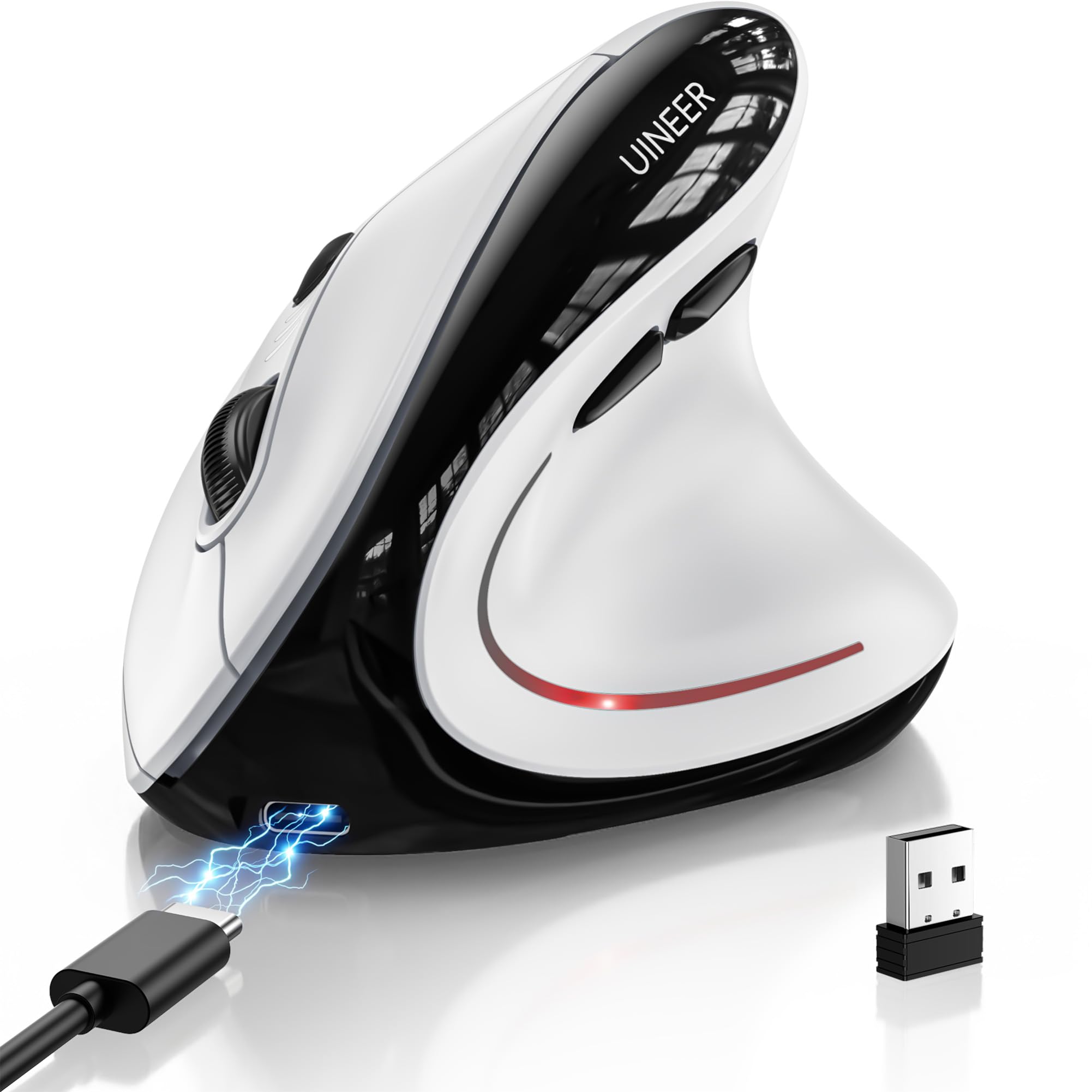
A featherweight vertical mouse at 105 grams with a side scroll wheel and RGB flair.
The Uineer A06S leads with ergonomics — it is the most-praised aspect of this model, with owners noting it helped with carpal tunnel pain and fits perfectly in the hand. Weighing only 105 grams, it is noticeably light, making it easy to glide across the desk during long work sessions. The side scroll wheel adds horizontal navigation, which is a rare and handy feature for spreadsheet work.
Connectivity is versatile with Bluetooth 5.0, Bluetooth 4.0, and a 2.4G USB receiver, and you can switch between three devices without re-pairing. The 500mAh battery lasts for weeks on a typical 8-hour daily schedule and fully recharges in about 2 hours via the included Type-C cable. Owners mention roughly a month of use when powering down daily, though one noted the battery lasted only 10 days, so your mileage may vary with heavy use.
The 4-level DPI (800/1200/1600/2400) covers daily office work and light gaming, and the silent left and right buttons keep things quiet in shared spaces. The 7-color LED lighting adds a modern touch to your desk. One recurring note: the surface is slippery for some, requiring a tighter grip, and A 45-day return policy and 12-month exchange service back the purchase..
Why it stands out: the side scroll wheel and featherlight 105-gram body make this the most comfortable pick for horizontal navigation.
The catch: a slippery surface that may require added grip for some users.
Best for: remote workers and students who want a light, quiet mouse with multi-device switching.
skip it if: you prefer a textured rubber grip or need more than 2400 DPI for gaming.
4. Uineer Vertical Ergonomic Mouse (A9)

An ultra-light 71-gram vertical mouse that relieves wrist strain without weighing you down.
At just 71 grams, this is the lightest mouse in the lineup, and owners consistently highlight how effective the handshake grip is at reducing wrist pain and strain. It is ideal for small to medium hands, and the responsive left and right clicks feel crisp for both work and casual gaming. The ergonomics are the most-discussed strength, with users reporting real relief during daily PC tasks.
You can switch between a laptop, a phone, and a tablet without re-pairing, thanks to tri-mode connectivity that includes dual Bluetooth (5.0/4.0) and a 2.4G dongle (a small USB receiver). Owners praise the smooth switching and note the battery lasts over a week with heavy use, with light use stretching to two weeks. The internal USB battery recharges rarely, and a low-battery LED reminder flashes before it runs out.
The 4-level DPI (800/1200/1600/2400) and smart power-saving auto-sleep after 10-30 minutes of inactivity round out the package. The 7-color ambient lighting is a fun accent, though one owner noted the thumb-rest lighting doesn’t fully illuminate. Connectivity is mostly positive, but a couple of users reported connection quirks with desktop computers, so it is worth testing right away.
What it does well
- Ultra-light 71g design is easy on the wrist
- Sync 3 devices without re-pairing
- 2-week battery life under light use
- 4 DPI levels for versatile tracking
Consider this
- Extremely light — not ideal for gamers who prefer weighted mice
- Occasional connectivity quirks with desktop PCs
- Side buttons not functional on macOS
Reach for this if: you want the lightest possible vertical mouse for daily multitasking.
Look elsewhere if: you are a gamer who wants heft and weight behind your clicks.
5. Perixx PERIMICE-713RX

The dual-charging vertical mouse that lets you drop it on a pad when you step away.
The Perixx stands apart with its included wireless charging pad, which supports 7.5W for iPhones, 10W for Samsung S20-S25 series, and 5W for other devices. This means the pad pulls double duty — it charges your mouse and can top up your phone or earbuds when the mouse is in use. Owners love this flexibility, even using the pad for other gadgets while the mouse sits idle.
The ergonomic vertical shape keeps your wrist in a neutral, upright position, and customers note their wrists don’t hurt even after long sessions. The soft rubber-coated build provides a secure, comfortable grip. Battery life is a strong point — one owner used it 40 hours a week and went a full month without charging. The 2.4 GHz wireless connection offers a solid 30 ft range, which is plenty for most desks.
With 6 buttons and adjustable DPI (1000/1600), it handles everyday browsing and office tasks well, though it lacks higher sensitivity for gaming. The scroll wheel is smooth without tactile steps, which some prefer and others miss. The main caveat is durability — a few owners reported units failing around the 6-month mark, and the buttons are not programmable, so you are stuck with the factory layout.
Its superpower: the wireless charging pad is a genuine convenience that also charges your phone.
Its limitation: durability is a concern past the 6-month mark, and buttons aren’t programmable.
Best for: desk workers who want a clutter-free charging solution and a comfortable daily driver.
pass on it if: you need programmable buttons or higher DPI for precise creative work.
6. Ergodriven Om Vertical Ergonomic Mouse

A gamer-friendly vertical mouse with an onboard OLED screen and on-mouse macro customization.
The Ergodriven Om is the pick for gamers who want wrist relief without sacrificing performance. Its onboard OLED screen displays battery and DPI settings clearly, and owners confirm it excels in gaming with accurate tracking and crisp buttons that reduce torque drift. The 4 DPI settings (1200, 1600, 2000, 2400) let you tune sensitivity to your play style, and the silent micro-force buttons are a bonus for late-night sessions.
Customization is a major strength — you can assign functions to the 5 buttons in under 10 seconds without downloading any software. Owners love the one-click copy/paste, undo, and mute options. The high-capacity rechargeable Li-ion battery ships with at least 50% charge and lasts about 5 weeks, which is excellent. The build quality earns the most praise here, with owners calling it a high-quality, well-made device.
The main downside is size: it is a smaller mouse, and some owners with larger hands found it caused wrist pain with prolonged use. The sensor has a high liftoff distance (over 1 inch), which can be annoying for gamers who lift and reposition. It is also bottom-heavy, and the auto-sleep requires a button press to wake. A 2-year warranty from an American ergonomics brand covers this pick..
Why gamers love it
- OLED screen shows battery and DPI at a glance
- 5 customizable buttons with on-mouse macro setup
- 5-week battery life from the Li-ion cell
- Silent micro-force buttons reduce fatigue
Gamer caveats
- High liftoff distance over 1 inch may frustrate FPS players
- Smaller size can cause wrist pain for large hands
- No charging cable included — QR manual only
Pick this for: gamers and power users who want on-the-fly button remapping without software.
Consider another if: you have large hands or need a low liftoff distance for competitive play.
7. Logitech MX Vertical Wireless Mouse

The ergonomist-approved industry standard with a 57° angle and 4-month battery life.
The Logitech MX Vertical is the benchmark in this category, and its 57° vertical angle is the steepest here — designed and tested with criteria set by leading ergonomists. The manufacturer claims this angle cuts muscular activity by 10% versus a standard mouse., and owners consistently report relief from wrist pain, arthritis, and carpal tunnel discomfort. The textured rubber surface ensures a natural grip for a variety of hand sizes, though it is particularly beloved by users with large hands.
The 4000 DPI high-precision sensor (DPI measures how far the cursor moves per inch of hand movement) is a standout, This sensor requires 4x less hand movement than a standard 1000 DPI mouse., which reduces fatigue during long sessions. The cursor speed switch lets you adjust DPI on the fly. Battery life is exceptional at 4 months per charge, with owners reporting over a month even with 10-18 hours of daily use. It pairs with up to 3 Windows or Apple computers, and the Logitech Flow feature lets you move content between them smoothly.
The build quality is superb, with a durable design that survives drops. The main trade-offs are its size — it can knock over easily due to its tall profile — and its limitations for gaming, as owners note less accurate cursor control and a learning curve. Horizontal scrolling is also poor, and there is no middle-button scroll control, which is a miss for spreadsheet users. This is the premium pick for those who want the top-tier ergonomics and are willing to pay for it.
The gold standard
- 57° angle reduces wrist pressure with ergonomist-approved design
- 4000 DPI sensor cuts hand movement by 4x vs 1000 DPI mice
- 4-month battery life on a single charge
- Flow feature moves content between 3 computers
Know before you buy
- Poor horizontal scrolling — not ideal for Excel heavy users
- Tall profile knocks over easily
- Not suited for gaming due to cursor control
Reach for this if: you want the ergonomic gold standard with proven wrist relief and multi-computer workflow.
Look elsewhere if: you are a gamer or spreadsheet professional who needs horizontal scroll precision.
Understanding the Specs
Ergonomic Angle
The vertical angle of the mouse is the single most important spec for comfort. A steeper angle like 57° puts your wrist in a more upright posture, which can be more effective for relieving strain but takes longer to adapt to. A gentler 52° angle is easier for beginners to transition to from a flat mouse. The right choice depends on how much wrist pain you currently have and your hand size.
Battery Capacity
Battery capacity, measured in mAh, tells you how long the mouse will last between charges. A larger cell like 800mAh can power the mouse for up to 200 hours, while a 500mAh battery might need weekly charging with heavy use. Check how you plan to charge — USB-C is standard, but some models offer wireless charging pads for extra convenience.
DPI Sensitivity
DPI (dots per inch) measures how sensitive the sensor is to movement. A higher DPI means the cursor moves further with less physical hand movement, which reduces fatigue. Entry-level mice start at 1600 DPI, while premium models reach 4000-4800 DPI. Look for adjustable DPI levels so you can switch between precise design work and fast-paced browsing.
Connectivity Modes
Most vertical mice offer both Bluetooth and a 2.4G USB receiver. Bluetooth is great for switching between multiple devices like a laptop and tablet, while the USB receiver provides a stable, plug-and-play connection. Some premium models add a USB wired mode for charging while you work, which is a useful backup if the battery runs low mid-task.
FAQ
How long does it take to adapt to a vertical mouse?
Will a vertical mouse fit my hand size?
How often do I need to charge a vertical mouse?
Can I use a vertical mouse for gaming?
Do vertical mouse side buttons work on Mac?
What is the difference between Bluetooth and 2.4G connectivity?
Can I use a vertical mouse while it is charging?
How do I know when the battery is low?
Is a steeper vertical angle always better for my wrist?
What does DPI mean and why does it matter?
Final Thoughts: The Verdict
If you want one dependable pick, the best wireless vertical mouse is the TECKNET Ergonomic Mouse because it delivers the strongest combination of comfort, battery life, and value — the thing everyone raves about is its proven ability to relieve wrist strain while lasting over a month per charge. If you want the most feature-dense option with an LED battery display and triple-mode connectivity, grab the AOC Vertical Mouse. And for the ergonomic gold standard with a 57° angle and 4-month battery life, the Logitech MX Vertical is the one to reach for — a crowd favorite backed by tens of thousands of owners who swear by its wrist relief.
How We Picked
We do not accept paid placement. Every pick is matched to a real buyer and a real use-case; we do not hands-on test units.
Sources & Methodology
Specifications: manufacturer listings and product documentation. Review insights: verified customer reviews, as of August 2026. Pricing: not shown on this page (it changes often); check the current price via the retailer link.
As an Amazon Associate, Calories Fit earns from qualifying purchases. This does not affect which products we feature.