
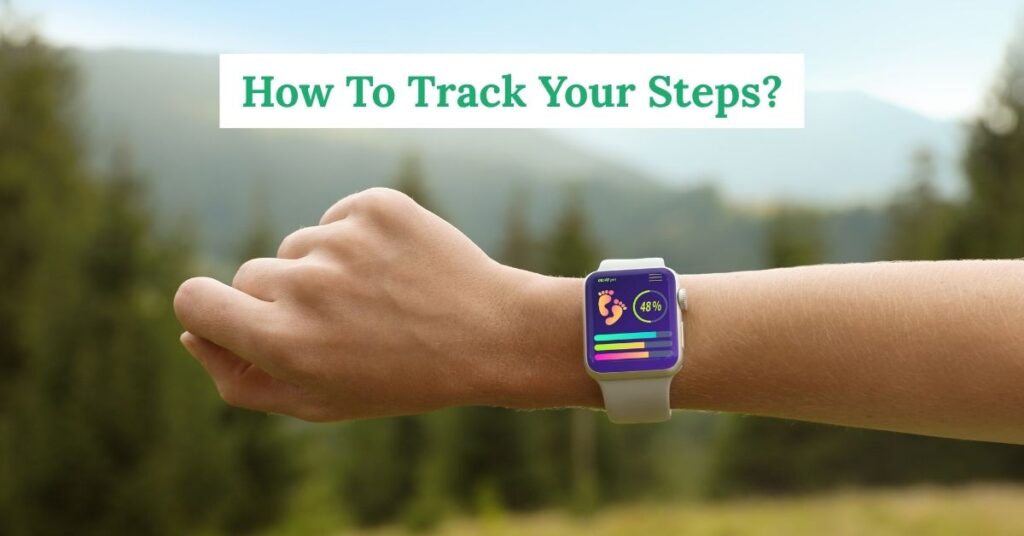
To track your steps, use your phone or a wearable with a step‑counting app, then calibrate stride and keep the device on you all day.
Cost
Setup Time
Accuracy
Basic: Phone + Free App
- Enable Apple Health or Google Fit
- Grant motion permissions
- Carry your phone on every walk
No extra gear
Better: Clip‑On Or Band
- Wrist or waistband placement
- Auto‑sync to phone
- Charge 1–7 days
Hands‑free
Best: Smartwatch
- All‑day sensors and GPS
- On‑wrist prompts
- Workout modes for treadmills
Most features
Why Step Tracking Works
Step counts turn movement into a simple daily score. You see a number climb, and that feedback nudges you to take an extra lap or choose stairs. The habit sticks because the metric is plain, fast, and always with you.
Walking taps the largest muscle groups, so even short bouts raise energy use. Spread across the day, those spurts add up. A counter brings that sum into view, so small choices feel worth it.
You also get a built‑in check on long sitting spells. A glance at the total by lunch can prompt a quick loop around the block. That light move breaks up long chair time, which helps joints, mood, and sleep.
How To Track Your Steps On Any Device: Quick Setup
Pick one device as your main counter. That can be your phone, a fitness band, or a smartwatch. Create an account, turn on motion and fitness permissions, and choose a single app as your source of truth.
Phone Setup (iOS And Android)
On iPhone, open Health, add your details, and confirm Steps is allowed. On Android, install Google Fit, sign in, and grant activity recognition. Turn off battery modes that pause motion data.
Place the phone where it moves with your body. A snug front pocket or waist pack works. Backpacks and handbags miss motion, so the count can lag until you pick it up.
Fitness Band Or Smartwatch
Pair the device in the brand app, then enable all‑day activity sync. Set the strap on your non‑dominant wrist for steadier readings. A snug fit improves step detection.
If the watch has workout modes, use them. Indoor walk, treadmill, hike, and trail modes record extra data and improve step mapping.
Clip‑On Pedometer
Fast to start, long battery life, no account needed. Clip it near your hip with the arrow facing your knee. Check the manual for stride length entry if offered.
At day’s end, jot down the total in a notes app or spreadsheet. Simple tracking works when the tool is quick to read.
No‑Phone Days
If you push a stroller or cart, wrist counts can drop. A small anklet sensor or a clip at the waistband picks up leg motion better. Some watches also let you wear them on the ankle band for these sessions.
Popular Step‑Tracking Options And Accuracy Tips
Here’s a quick side‑by‑side to help you choose a setup that fits your routine. Pick the simplest path that you can keep up every day.
| Option | Best For | Accuracy Tips |
|---|---|---|
| Phone In Pocket | Everyday tracking with no extra cost | Keep the phone on you; disable aggressive battery savers |
| Fitness Band | Hands‑free counting and gentle nudges | Wear on non‑dominant wrist; snug fit helps |
| Smartwatch | Detailed workouts and reminders | Turn on workout mode for treadmill or hikes |
| Clip‑On Pedometer | Simple, long battery life | Clip near hip; align arrow to knee |
| Anklet Sensor | Stroller or push‑cart walkers | Place near ankle for better leg motion |
| Smart Shoes/Insoles | Run form and cadence nerds | Calibrate size and stride in the app |
Get Reliable Numbers Every Day
Carry position matters. Phones in a jacket or a loose bag swing in ways that confuse sensors. A front pocket, belt clip, or snug waist pack keeps the motion signal clean.
Watch placement matters too. A band worn near the wrist bone shifts less and picks up steps better. If your job uses heavy arm work, try the other wrist and compare a few days.
Set stride length once. Most apps estimate well enough, but entering height and a measured stride can smooth distance and pace. Walk 20 steps, measure the distance, and divide.
Give the app permission to run in the background. Motion data is low power, but some phones pause apps. Exclude your tracker app from aggressive battery settings so counts don’t freeze.
Use one source of truth. If you wear a watch and carry a phone, let one app combine the two so steps aren’t doubled. Apple Health and Google Fit can merge sources automatically.
Indoors can be tricky. On treadmills, start an Indoor Walk workout if your watch has it. On phones, let the session run for a few minutes so sensors lock in.
Stairs and hills add effort that steps alone miss. Mark those sessions as workouts, or check pace and heart rate if your device records it. You’ll see the extra workload in your log.
Step Goals That Actually Work
Minutes and steps can work together. Public health groups recommend weekly minutes of moderate activity. Walking can deliver those minutes, and steps give you a daily target to chase.
A large analysis reported by the CDC found lower risk of early death with higher step counts, with gains flattening around eight to ten thousand for many adults, and a lower plateau for older adults. That lines up well with a steady daily walk plus normal errands.
For guidance on weekly minutes, see the CDC adult activity guidance and set a plan that fits your week. If you like a step target, aim for a range that nudges you to move more without blowing up your schedule.
Research summaries from the NIH step count research also point to the total number of daily steps as the driver, not the speed of each step. That means an easy walk still adds to the total, and brisk sessions add even more benefit.
Build A Step Goal Ladder
Use these ranges as flexible targets. Match the label to your day, then stack streaks over a week or two. The mix matters more than a single big day.
| Level | Daily Steps | How To Hit It |
|---|---|---|
| Baseline Day | 3,000–5,000 | Park farther, two 10‑minute walks |
| Active Day | 6,000–8,000 | Walk breaks, short errand on foot |
| Heart‑Healthy Day | 8,000–10,000 | Add a 30‑minute brisk walk |
| Big Move Day | 10,000–12,000 | Commute on foot or long dog walk |
| Trail Day | 12,000–15,000 | Weekend hike or city day trip |
| Recovery Day | 2,000–4,000 | Light strolls while you rest |
Train Your Day Around Movement
Create anchors that cue short walks. Morning coffee? Loop the block. Work break? Five‑minute circuit down the hall and back. Daily chores? Add a quick lap before you start.
Errand bundling helps. Park once and visit each stop on foot. Public transit adds steps at both ends, so plan a stop or two early.
Set soft prompts. Hourly nudges on a band or phone can buzz after long sitting spells. Pick a window that fits your job so alerts help, not annoy.
Build social stakes with a friend or co‑worker. Share seven‑day totals or trade a small forfeit for missed goals. Light stakes keep it fun and sticky.
Turn Data Into Action
Look at seven‑day averages. Daily totals jump around, but a weekly mean shows trend. If your average rises by five to ten percent over two weeks, bump the target a little.
Tag special days. Travel, sickness, races, and long hikes can skew your graph. Mark them so you judge the week by normal days.
Use streaks wisely. Short streaks build momentum, long ones can backfire. Reset at the first miss and start a new run.
Pair steps with sleep. A higher step day can raise sleep need. If your device tracks sleep, scan the trend to keep recovery steady.
Privacy, Battery, And Data Hygiene
Check what your app shares. Turn off contacts and location sharing if you don’t need them. Review third‑party integrations and remove any you don’t use.
Create a backup plan. Apple Health and Google Fit can export data files. A monthly export keeps a local copy of your history.
Mind battery habits. Watches charge faster if you pop them on the charger during a shower. Bands with long life can charge weekly; set a calendar reminder so you never miss a day.
Quick Troubleshooting
Counts look low on stroller days? Try an anklet sensor or move the watch to the ankle band. You can also start an Indoor Walk session to add cadence smoothing.
Numbers freeze midday? Allow background activity and disable app sleep for your tracker. Keep Bluetooth on so your watch or band syncs in real time.
Seeing double? If two devices write steps, pick one master in your health app. Remove duplicate writes so totals don’t inflate.
Treadmill totals feel off? Enter stride length once, start a workout mode, and give the session a few minutes to settle.
One‑Page Setup And Habit Checklist
- Pick phone, band, or watch as your main counter
- Enable motion permissions and background activity
- Set height, weight, and stride length
- Choose one app as your source of truth
- Pick a daily range that fits your week
- Set three tiny anchors for short walks
- Turn on gentle sitting alerts
- Plan a weekly review window
- Export a backup once a month
- Charge on a set day and time